Review which Droplr links are public and which expire soon
Every Monday, WebRun opens Droplr, walks your drops and boards to record each share link's privacy setting, expiry date, and storage used, saves the full audit as a file in Google Drive, and sends the flagged items to Telegram.
- No credit card
- Under $0.01 per run
- Cancel anytime
How do I audit which Droplr share links are public or about to expire?
Every Monday WebRun opens Droplr and reviews every drop and board you have shared: which links are public, which expire soon, and how much storage is in use. WebRun saves the audit as a file in Google Drive and sends the short version to Telegram, so no client link dies unannounced.
- Client links get renewed before they expire, not after a broken link email
- Files left public by mistake surface every Monday with an owner named
- A dated audit file builds in Google Drive so link hygiene is provable
Built for design teams · agencies · IT and ops managers · client services teams
What does WebRun do on every run?
The exact actions WebRun takes, in order - in plain language, so you can adjust anything.
-
WebRun signs in and gets to work
Opens
droplr.comin a real browser with your saved login - no setup, no API keys. -
1
Droplr - audit drops and share links
droplr.com
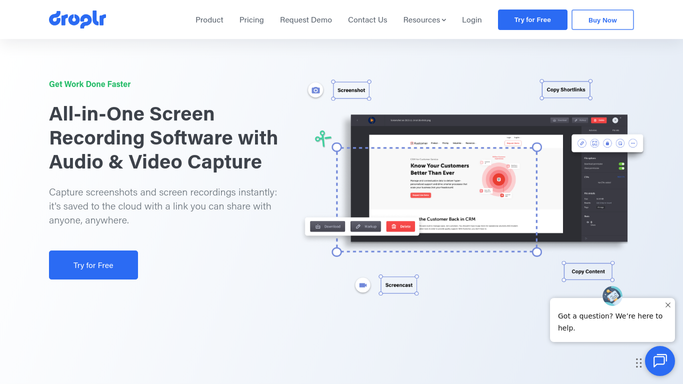
WebRun opens Droplr to audit drops and share links. - Open Droplr and list every drop and board created or shared in the period you set
- Record the privacy setting and the expiry date on each share link, plus who created it
- Note total storage used and mark links expiring in the next 14 days
- Change nothing. WebRun reads the settings and reports, it never edits or deletes a drop
Done when Every drop has its privacy setting, expiry date, and owner recorded.
-
2
Google Drive - file the full audit
drive.google.com How to Automate Google Drive

WebRun opens Google Drive to file the full audit. - Open the shared audit folder in Google Drive and save this week's file
- List every drop with its owner, privacy setting, expiry date, and size
- Keep the previous weeks in place so the folder shows how link hygiene is trending
Done when This week's link audit is filed in Google Drive alongside the earlier runs.
-
3
Telegram - flag the risky links
telegram.org How to Automate Telegram

WebRun opens Telegram to flag the risky links. - Send the team chat the two short lists: links expiring within 14 days, and drops still set to public
- Name the owner beside each item so it is clear who decides what happens next
- Add the storage total and link to the full audit file in Google Drive
Done when The team has this week's expiring and public links in Telegram.
How is each run configured?
Secure by default
Connect once, stays signed in
WebRun signs in once and keeps each session in a persistent environment, so every run picks up right where it left off.
Every action is checked against this policy before it runs.
Questions, answered
Will it delete drops or change who can see them?
No. WebRun reads the privacy and expiry settings and reports them. Deleting a drop or making a public link private stays a human decision, so nothing disappears without you.
How far ahead does it warn me about expiry?
Fourteen days by default, and you can move that window. Anything expiring inside it appears in the Telegram list with the owner named beside it.
Can it cover the whole team or only my own drops?
Either. Point WebRun at a team account and it audits every member's drops and boards, tagging each row with the person who created it.
Related templates
Put this on autopilot.
Turn it on in minutes - or have our team set it up for you.