Automated Dropbox Sign Overdue Signature Reminders
Every morning, WebRun opens Dropbox Sign, finds requests that are still unsigned past their due date, drafts a short text reminder in Twilio for you to approve and send, and moves every newly completed document into the right Google Drive folder.
How do I follow up on Dropbox Sign requests that are overdue?
WebRun reviews your Dropbox Sign requests every morning, finds any still unsigned past their due date, and drafts a short text reminder in Twilio for you to approve and send. Completed documents are filed straight into the right Google Drive folder, so overdue signatures get chased and finished paperwork gets organized without manual tracking.
- Overdue signers get a reminder drafted the same day they lapse
- Completed contracts are filed in Drive without manual downloading
- No signature request goes untracked between due date and completion
Built for Sales operations · HR and onboarding teams · real estate agents · small business owners
What does WebRun do on every run?
The exact actions WebRun takes, in order - in plain language, so you can adjust anything.
-
WebRun signs in and gets to work
Opens
dropboxsign.comin a real browser with your saved login - no setup, no API keys. -
1
Dropbox Sign (HelloSign) - find overdue requests
dropboxsign.com
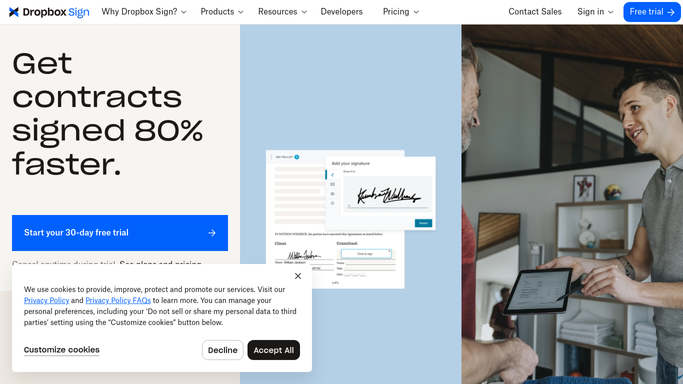
WebRun opens Dropbox Sign (HelloSign) to find overdue requests. - Open Dropbox Sign and list requests still awaiting a signature
- Compare each request's due date against today
- Separate newly completed documents from the overdue ones
Done when Every request is sorted into overdue, pending, or completed.
-
2
Twilio - draft a text reminder
twilio.com

WebRun opens Twilio to draft a text reminder. - Draft a short, polite text reminder for each signer past their due date
- Reference the document name and how many days it has been outstanding
- Queue every draft for your review. WebRun never sends the text itself
Done when Every overdue signer has a drafted reminder waiting for your approval.
-
3
Google Drive - file completed documents
drive.google.com

WebRun opens Google Drive to file completed documents. - Download each document that reached Completed status overnight
- File it into the matching client or deal folder in Google Drive
- Name the file with the signer and completion date
Done when Every newly completed document is filed and named in Drive.
How is each run configured?
Secure by default
Connect once, stays signed in
WebRun signs in once and keeps each session in a persistent environment, so every run picks up right where it left off.
Every action is checked against this policy before it runs.
Questions, answered
Will it text signers without me approving it first?
No. WebRun only drafts the reminder in Twilio. A human reviews and sends every text, nothing goes out on its own.
How does it know a document is overdue?
It reads each request's live status and due date in Dropbox Sign every morning, so only genuinely unsigned, past-due requests get a reminder drafted.
What happens once someone signs?
WebRun downloads the completed document and files it into the matching Google Drive folder automatically, no reminder is drafted for it again.
Related templates
Put this on autopilot.
Turn it on in minutes - or have our team set it up for you.