Automated Dropbox Sign Decline Alerts
Every hour, WebRun opens Dropbox Sign, looks for signature requests a signer declined or that never reached an inbox, checks Gmail for the matching bounce notice, drafts a corrected re-send, and posts the deal owner a short Slack alert.
How do I find out when a signature request is declined or bounces?
WebRun checks Dropbox Sign every hour for signature requests that will never complete: ones a signer declined and ones whose invitation bounced. It confirms the delivery failure in Gmail, drafts a corrected re-send for your approval, and posts the deal owner a Slack alert naming the document and signer.
- Declined contracts reach the deal owner within the hour
- Bounced invitations are caught before the deal quietly stalls
- A corrected re-send is drafted and waiting, ready to approve
Built for sales teams · legal ops · agencies · recruiters · operations managers
What does WebRun do on every run?
The exact actions WebRun takes, in order - in plain language, so you can adjust anything.
-
WebRun signs in and gets to work
Opens
dropboxsign.comin a real browser with your saved login - no setup, no API keys. -
1
Dropbox Sign - find declined and undelivered requests
dropboxsign.com
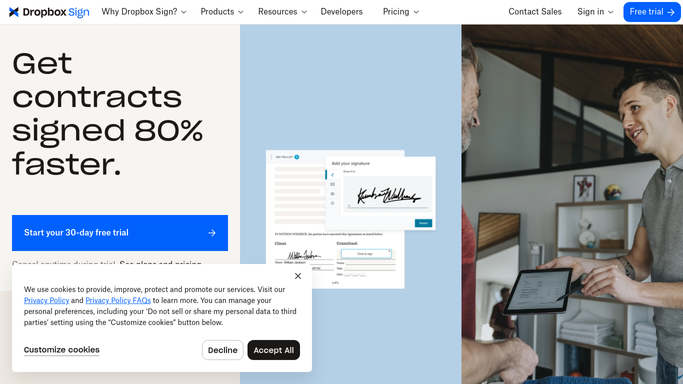
WebRun opens Dropbox Sign to find declined and undelivered requests. - Open Dropbox Sign and review documents still out for signature
- Capture any request whose status shows declined, along with the signer and the reason given
- Note requests where the invitation shows as undelivered or the signer has never opened it
- Record the document title, the signer email, and how long the request has been out
Done when Every declined or undelivered request from the last day is listed with its signer and document.
-
2
Gmail - confirm bounces and draft the re-send
gmail.com

WebRun opens Gmail to confirm bounces and draft the re-send. - Search Gmail for bounce or delivery failure notices matching each signer address
- Attach the failure reason to the request, such as a mistyped domain or a full mailbox
- Draft a short, polite note to the signer with the corrected address and the request details
- Leave every message as an unsent draft. WebRun never emails a signer on its own
Done when Each dead request has a delivery reason and a draft re-send waiting for approval.
-
3
Slack - alert the deal owner
slack.com

WebRun opens Slack to alert the deal owner. - Post the declined and undelivered requests to your deals channel
- Put declines first with the reason the signer gave, then the bounced invitations
- Name the document, the signer, and the owner so the right person picks it up
Done when The deal owner has this hour's list of requests that will never complete.
How is each run configured?
Secure by default
Connect once, stays signed in
WebRun signs in once and keeps each session in a persistent environment, so every run picks up right where it left off.
Every action is checked against this policy before it runs.
Questions, answered
Will it email the signer again on its own?
No. WebRun writes the corrected note as an unsent Gmail draft and leaves it for you to read and send. Nothing reaches a signer without a person approving it first.
How is this different from chasing a late signature?
A late signature can still be signed. This watches for requests that are already dead: the signer pressed decline, or the invitation bounced and never reached an inbox at all.
How quickly will I hear about a decline?
Within the hour. WebRun checks Dropbox Sign every hour, so a declined contract reaches the deal owner in Slack the same working day rather than at the next follow-up.
Related templates
Put this on autopilot.
Turn it on in minutes - or have our team set it up for you.