Capture event-DJ inquiries
When a new inquiry lands in DJ Event Planner, WebRun reads the event details, logs a new row to your Google Sheets lead tracker, and posts an alert to Slack so you can respond while the lead is still hot.
- No credit card
- Under $0.01 per run
- Cancel anytime
What does WebRun do on every run?
The exact actions WebRun takes, in order - in plain language, so you can adjust anything.
-
WebRun signs in and gets to work
Opens
www.djeventplanner.comin a real browser with your saved login - no setup, no API keys. -
1
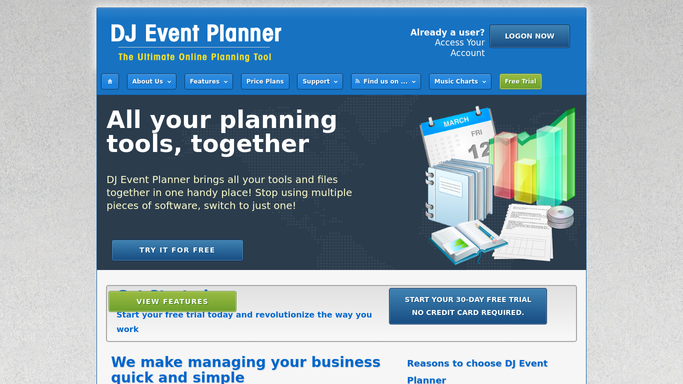
DJ Event Planner - detect new inquiry
djeventplanner.com How to Automate DJ Event Planner

WebRun opens DJ Event Planner to detect new inquiry. - Open DJ Event Planner and find the latest unprocessed inquiry
- Read the client name, event type, date, venue, and contact details
- Mark the inquiry as reviewed so it is not processed twice
Done when All new inquiry details have been captured.
-
2
Google Sheets - log inquiry details
google.com How to Automate Google Sheets
WebRun opens Google Sheets to log inquiry details. - Open the DJ leads tracking spreadsheet
- Append a new row with client name, event type, event date, venue, contact info, and the date the inquiry arrived
- Confirm the row saved correctly
Done when The inquiry is logged as a new row in the leads sheet.
-
3
Slack - alert the DJ
slack.com How to Automate Slack
WebRun opens Slack to alert the DJ. - Post a brief alert to the designated Slack channel with the client name, event date, and event type
- Include a link to the Google Sheets row for quick access
Done when The team has received an instant Slack alert about the new inquiry.


How do I automatically log and track new DJ event inquiries?
WebRun monitors DJ Event Planner for new inquiries, logs every lead's name, event type, date, venue, and contact info as a fresh row in Google Sheets, and posts an instant Slack alert so you can respond while interest is highest. No lead is missed and no data entry is needed.
- Every inquiry is logged to Google Sheets the moment it arrives
- Slack alerts let you respond to hot leads within minutes
- No manual data entry or missed inquiries
Built for freelance DJs · DJ companies · mobile entertainers · event entertainment businesses
How is each run configured?
Secure by default
Connect once, stays signed in
WebRun signs in once and keeps each session in a persistent environment, so every run picks up right where it left off.
Every action is checked against this policy before it runs.
Questions, answered
Will it reply to the client automatically?
No. WebRun only logs the inquiry and alerts your team internally. Any reply to the client is left for you to send, so your first impression stays personal and on your own terms.
What information does it capture from each inquiry?
It reads client name, event type, event date, venue, and contact details from DJ Event Planner, then writes all of that into a single row in your Google Sheets lead tracker.
What if the same inquiry comes in twice?
WebRun marks each inquiry as reviewed after processing, so duplicate runs skip it automatically and your sheet stays clean.
Related templates
Put this on autopilot.
Turn it on in minutes - or have our team set it up for you.