See upcoming gigs and gaps
Every Monday morning, WebRun opens Gigbuilder to pull the next four weeks of confirmed gigs, compares them against your Google Calendar to spot any conflicts or open weekends, and posts a digest to Slack showing your booked dates and gaps so you can take inquiries or plan your schedule with confidence.
- No credit card
- Under $0.01 per run
- Cancel anytime
What does WebRun do on every run?
The exact actions WebRun takes, in order - in plain language, so you can adjust anything.
-
WebRun signs in and gets to work
Opens
www.gigbuilder.comin a real browser with your saved login - no setup, no API keys. -
1
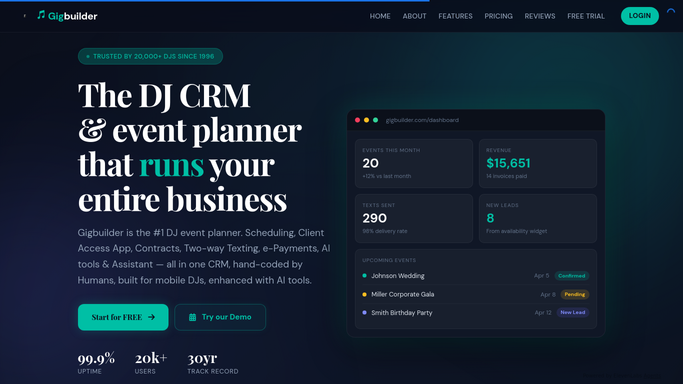
Gigbuilder - pull confirmed gigs
gigbuilder.com

WebRun opens Gigbuilder to pull confirmed gigs. - Open Gigbuilder and pull all confirmed gigs for the next 28 days
- Capture the event date, start time, venue, and client name for each gig
- Note any gigs that were added or updated since last Monday
Done when The full four-week confirmed gig list is captured.
-
2
Google Calendar - check for conflicts and open dates
calendar.google.com How to Automate Google Calendar
WebRun opens Google Calendar to check for conflicts and open dates. - Open Google Calendar and check the same 28-day window
- Identify dates that are blocked, busy, or already have personal commitments
- Flag any date where a Gigbuilder gig and a calendar event overlap
- Note weekends and Fridays with no gig booked as open availability
Done when Conflicts are flagged and open dates are identified for the next four weeks.
-
3
Slack - post the weekly digest
slack.com How to Automate Slack
WebRun opens Slack to post the weekly digest. - Post the weekly digest to Slack with confirmed gigs by date, any calendar conflicts flagged, and a list of open weekend dates
- Lead with the next upcoming gig and highlight any conflicts that need attention
Done when The weekly availability digest is posted to Slack.


How do I get a weekly overview of my DJ gigs and available dates?
WebRun pulls confirmed gigs from Gigbuilder every Monday, compares them against Google Calendar for the next 28 days, and posts a Slack digest showing your booked dates, open weekends, and any scheduling conflicts. You start every week with a clear picture of your availability.
- Start every Monday with a clear four-week view of bookings and open dates
- Calendar conflicts flagged before they become double-bookings
- Know instantly which weekends are free to accept new inquiries
Built for freelance DJs · DJ companies · mobile entertainers · event DJs
How is each run configured?
Secure by default
Connect once, stays signed in
WebRun signs in once and keeps each session in a persistent environment, so every run picks up right where it left off.
Every action is checked against this policy before it runs.
Questions, answered
Will it make any changes to my Gigbuilder gigs or Google Calendar?
No. WebRun reads both systems and posts a digest to Slack. It never adds, edits, or removes a calendar event or a gig record. All scheduling decisions stay with you.
How far ahead does the digest look?
It covers the next 28 days every Monday morning, giving you a rolling four-week view of confirmed gigs, open dates, and any calendar conflicts to resolve.
What counts as an open date in the digest?
Fridays and Saturdays with no confirmed Gigbuilder gig and no blocking event on Google Calendar appear as open and available in the weekly Slack digest.
Related templates
Put this on autopilot.
Turn it on in minutes - or have our team set it up for you.