Confirm every new DigiBoxx account is fully set up
Every morning, WebRun opens DigiBoxx, checks any newly created account, confirms the folder structure is built and the storage quota is assigned, posts a checklist update to Telegram, and texts IT through Twilio if a step is still blocked.
- No credit card
- Under $0.01 per run
- Cancel anytime
What does WebRun do on every run?
The exact actions WebRun takes, in order - in plain language, so you can adjust anything.
-
WebRun signs in and gets to work
Opens
www.digiboxx.comin a real browser with your saved login - no setup, no API keys. -
1
DigiBoxx - check new account setup steps
digiboxx.com

WebRun opens DigiBoxx to check new account setup steps. - Open DigiBoxx and check any newly created user account
- Confirm folder structure created and storage quota assigned
- Note any step that is still incomplete
Done when Every new account's setup status is checked.
-
2
Telegram - post checklist confirmation
telegram.org How to Automate Telegram
WebRun opens Telegram to post checklist confirmation. - Post a confirmation for each completed onboarding step
- List the new user and what has been set up so far
- Keep the checklist visible so the team can track progress
Done when The team channel shows today's onboarding checklist status.
-
3
Twilio - text IT if a step is blocked
twilio.com How to Automate Twilio
WebRun opens Twilio to text IT if a step is blocked. - Text IT if a setup step is blocked or incomplete after the first check
- Name the account and the missing step
- Skip this step when onboarding completes cleanly
Done when IT has been texted about any blocked setup step.
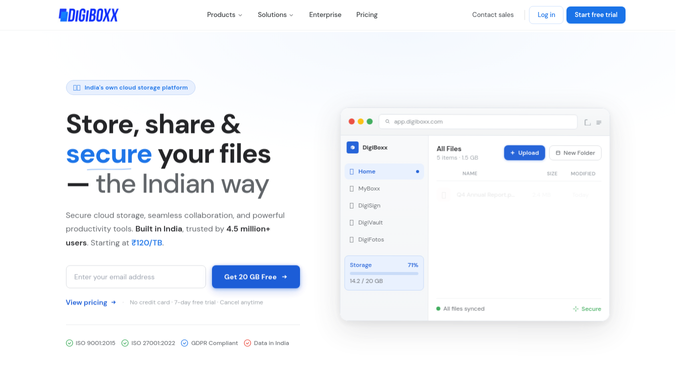


How do I confirm a new DigiBoxx account is fully set up?
WebRun checks every newly created DigiBoxx account each morning, confirming the folder structure is built and the storage quota is assigned, and posts a checklist update to Telegram. If a step is still blocked, it texts IT through Twilio with the account and what is missing, so no new user is left half set up.
- No new account is assumed set up without proof
- Blocked setups reach IT the same morning
- The onboarding checklist stays visible to the whole team
Built for IT admins provisioning new accounts · operations teams onboarding staff · small business office managers
How is each run configured?
Secure by default
Connect once, stays signed in
WebRun signs in once and keeps each session in a persistent environment, so every run picks up right where it left off.
Every action is checked against this policy before it runs.
Questions, answered
Does it create the user account itself?
No. It only checks accounts that already exist and confirms whether setup steps like folder structure and quota are complete.
Who gets texted if setup is blocked?
Only your internal IT contact. The new user is not texted by this automation.
What happens once setup completes?
It stops appearing in the checklist and no further alert goes out for that account.
Related templates
Put this on autopilot.
Turn it on in minutes - or have our team set it up for you.