See which of your DEV posts are actually landing
Every Monday, WebRun signs into DEV Community, opens the dashboard for your published posts, records reads, reactions, comments, and follower change for the week, sends you a Telegram digest ranking what performed, and WhatsApps you when an older post suddenly starts climbing.
- No credit card
- Under $0.01 per run
- Cancel anytime
How do I track how my blog posts are performing each week?
WebRun reads your DEV Community post dashboard every Monday and records reads, reactions, comments, and follower change for the week. It sends you a ranked Telegram digest showing what performed and which tags worked, and WhatsApps you when an older article starts climbing again.
- A weekly read on which topics and tags your audience actually opens
- Older posts that start ranking are spotted while they are still climbing
- No dashboard visit needed to know how the week went
Built for developer advocates · technical writers · engineers who blog · devtool marketers
What does WebRun do on every run?
The exact actions WebRun takes, in order - in plain language, so you can adjust anything.
-
WebRun signs in and gets to work
Opens
dev.toin a real browser with your saved login - no setup, no API keys. -
1
DEV Community - read this week's post stats
dev.to
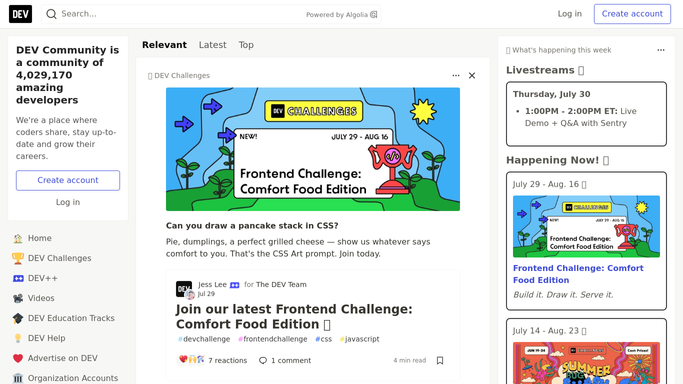
WebRun opens DEV Community to read this week's post stats. - Sign into DEV Community and open your dashboard of published posts
- Capture reads, reactions, and comment counts for every post
- Compare each figure against last week's to get the change over the last seven days
- Record your follower count and how it moved
- Note the tags on the best performing posts so the pattern is visible
Done when Every published post has this week's figures and its change since last week.
-
2
Telegram - send the weekly digest
telegram.org How to Automate Telegram

WebRun opens Telegram to send the weekly digest. - Send yourself a Telegram digest ranking posts by reads gained this week
- Show reactions and comments alongside reads so engagement is not judged on traffic alone
- Include the follower change and the tags that performed best
- Add a one-line note when the whole week was quieter than usual
- Keep it in your private chat. Never post the digest publicly
Done when You have this week's post performance digest in Telegram.
-
3
WhatsApp - flag a post suddenly taking off
whatsapp.com How to Automate WhatsApp

WebRun opens WhatsApp to flag a post suddenly taking off. - WhatsApp yourself when a post older than a month gains far more reads than its recent baseline
- Include the post title, the reads gained, and where the comments are coming from
- Suggest that the post may be worth updating or resharing, and leave the decision to you
- Never publish a post, edit an article, or reply to a comment. WebRun only reports
Done when You have been alerted to any older post that is climbing again.
How is each run configured?
Secure by default
Connect once, stays signed in
WebRun signs in once and keeps each session in a persistent environment, so every run picks up right where it left off.
Every action is checked against this policy before it runs.
Questions, answered
Will it publish or edit anything on my account?
No. WebRun reads your dashboard stats only. It never publishes a post, edits an article, reacts, follows anyone, or replies to a comment, so your public presence stays entirely yours.
Why does it flag older posts?
Because an article from months ago climbing again usually means it started ranking or got shared somewhere. WebRun compares each older post's reads against its own recent baseline and tells you which one is moving.
Where do the digests go?
To your private Telegram chat and your own WhatsApp. Nothing is posted to DEV Community, nothing is shared with a channel, and no stats about your account are made public.
Related templates
Put this on autopilot.
Turn it on in minutes - or have our team set it up for you.