Catch a failing deployment before users report it
Every hour, WebRun opens the Deno Deploy dashboard, walks your projects and their live deployments, counts errors in the logs since the last check, opens a Trello card with the failing project and its log lines, and pings the on-call developer on WhatsApp.
- No credit card
- Under $0.01 per run
- Cancel anytime
How do I get alerted when a Deno Deploy project starts erroring?
WebRun checks your Deno Deploy projects every hour, reads the logs on each live deployment, and counts errors since the last run. When a project crosses your threshold it opens a Trello card with the log lines that matter and pings WhatsApp, so the developer on call hears about a failing deployment first.
- A failing deployment is caught within the hour
- Every alert arrives with the log lines behind it
- Expected noise stays under your threshold and stays quiet
Built for developers · platform teams · on-call engineers · small SaaS teams
What does WebRun do on every run?
The exact actions WebRun takes, in order - in plain language, so you can adjust anything.
-
WebRun signs in and gets to work
Opens
dash.deno.comin a real browser with your saved login - no setup, no API keys. -
1
Deno Deploy - read logs and error counts
deno.com
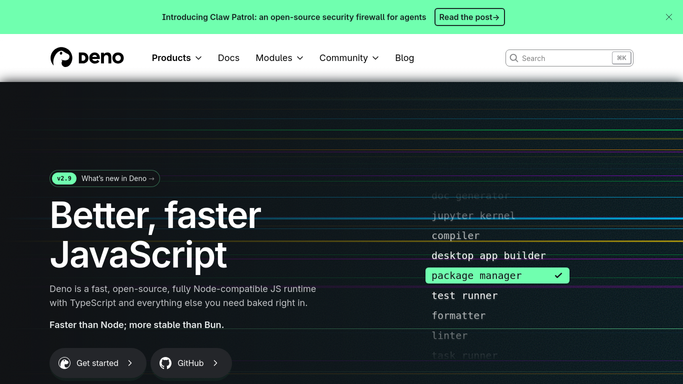
WebRun opens Deno Deploy to read logs and error counts. - Open the Deno Deploy dashboard and list your projects with their live deployments
- Read the logs for each project since the previous run and count error lines
- Note which custom domains the failing deployments serve, so impact is obvious
Done when Every project has an error count for the last hour.
-
2
Trello - queue the failing project
trello.com How to Automate Trello

WebRun opens Trello to queue the failing project. - Open a Trello card for any project whose error count crosses your threshold
- Paste the project name, the deployment, the error count, and the most repeated log lines
- Leave the card for a human. WebRun never redeploys, rolls back, or changes a project setting
Done when Every project over threshold has a Trello card with its log evidence.
-
3
WhatsApp - ping the developer on call
whatsapp.com How to Automate WhatsApp

WebRun opens WhatsApp to ping the developer on call. - Message the on-call developer with the project name and its error count
- Put the domain the deployment serves in the first line, so severity reads at a glance
- Stay quiet on hours when every project is under threshold
Done when The on-call developer knows about every project over threshold.
How is each run configured?
Secure by default
Connect once, stays signed in
WebRun signs in once and keeps each session in a persistent environment, so every run picks up right where it left off.
Every action is checked against this policy before it runs.
Questions, answered
Will it redeploy or roll back on its own?
No. WebRun reads logs and queues a Trello card for a human to act on. It never triggers a deployment, rolls back a version, or edits a project setting in Deno Deploy.
How does it avoid alerting on every stray error?
You set an error threshold per hour. A handful of expected errors stays quiet, and only a project that crosses your line gets a card and a message.
What ends up in the card?
The project name, the deployment, the error count for that hour, and the log lines that repeated most, so whoever picks it up starts with evidence rather than a search.
Related templates
Put this on autopilot.
Turn it on in minutes - or have our team set it up for you.