Clear the payments waiting on an approver before cutoff
Every morning, WebRun signs in to DBS Bank, reads the payments prepared but still waiting on approval with their value dates and amounts, works out how long until the daily cutoff, pings the approvers on Telegram, and drafts a Gmail summary for the finance lead.
- No credit card
- Under $0.01 per run
- Cancel anytime
How do I make sure pending bank payments get approved before cutoff?
WebRun signs in to DBS Bank each morning and reads the payments prepared but still awaiting approval, capturing each amount, value date, and waiting approver. It pings those approvers on Telegram with the hours left before cutoff and drafts a Gmail summary for the finance lead.
- Payroll and supplier runs stop missing their value date
- Every approver knows what is sitting with them before cutoff
- WebRun reports the queue and never releases a payment
Built for finance managers · treasury teams · payment approvers · Singapore and Asia businesses
What does WebRun do on every run?
The exact actions WebRun takes, in order - in plain language, so you can adjust anything.
-
WebRun signs in and gets to work
Opens
www.dbs.comin a real browser with your saved login - no setup, no API keys. -
1
DBS Bank - read the unapproved payment queue
dbs.com
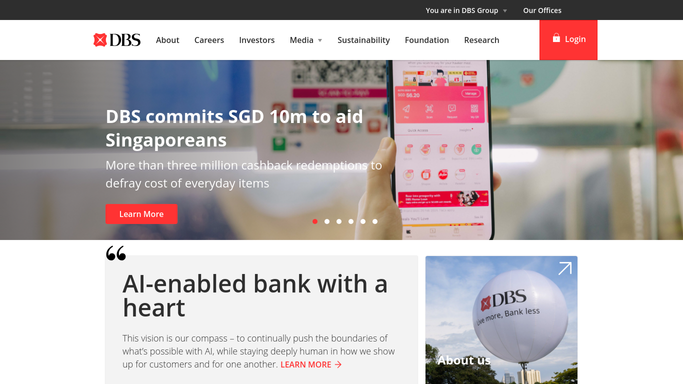
WebRun opens DBS Bank to read the unapproved payment queue. - Sign in to DBS Bank and open the pending approvals view
- List every payment and batch awaiting approval with its amount, value date, and who prepared it
- Note which approver each item is waiting on and how long until the daily cutoff
- Read only. WebRun never approves, releases, or edits a payment
Done when Every unapproved payment is listed with its value date and approver.
-
2
Telegram - ping the approvers
telegram.org How to Automate Telegram

WebRun opens Telegram to ping the approvers. - Ping each approver with the count and total value of items waiting on them
- Put anything whose value date is today or tomorrow at the top
- Say how many hours remain until cutoff so the urgency is plain
Done when Every approver has been pinged about what is sitting with them.
-
3
Gmail - draft the finance lead summary
gmail.com How to Automate Gmail

WebRun opens Gmail to draft the finance lead summary. - Draft a summary email to the finance lead with the full queue and its total value
- Highlight payroll and supplier runs whose value date is at risk
- Leave the email as a draft for the finance lead to send or forward
Done when A summary of the morning's queue is drafted in Gmail.
How is each run configured?
Secure by default
Connect once, stays signed in
WebRun signs in once and keeps each session in a persistent environment, so every run picks up right where it left off.
Every action is checked against this policy before it runs.
Questions, answered
Will it approve or release a payment?
No, and it never could. WebRun only reads the pending approvals view and reports what is sitting there. Approving and releasing any payment stays entirely with your authorised approvers in DBS Bank.
Does it email anyone outside the company?
No. The Telegram ping goes to your own approvers and the Gmail summary is left as a draft for your finance lead. Nothing is sent to a supplier or any third party.
How does it know what is urgent?
It reads each item's value date and compares it against the daily cutoff time you set, so payments due today or tomorrow are listed first with the hours remaining shown.
Related templates
Put this on autopilot.
Turn it on in minutes - or have our team set it up for you.