Get every new hire set up before day one
Every morning, WebRun opens Dayforce, finds employees whose start date falls in the next 14 days, checks which onboarding fields are still blank, creates a per-hire checklist in Airtable, and drafts the welcome email and the equipment request in Gmail for HR to review and send.
- No credit card
- Under $0.01 per run
- Cancel anytime
What does WebRun do on every run?
The exact actions WebRun takes, in order - in plain language, so you can adjust anything.
-
WebRun signs in and gets to work
Opens
dayforce.comin a real browser with your saved login - no setup, no API keys. -
1
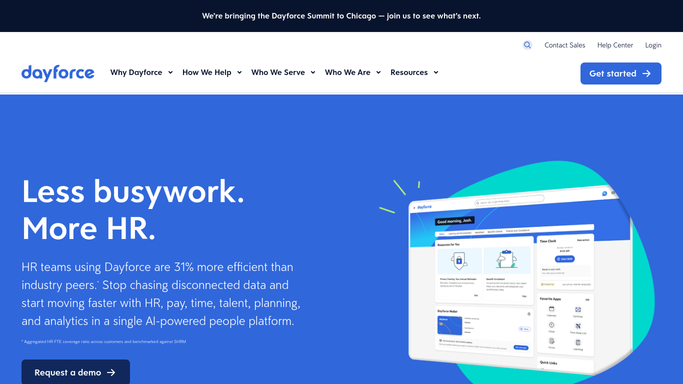
Dayforce - find hires starting soon
dayforce.com

WebRun opens Dayforce to find hires starting soon. - Open Dayforce and go to your employee records
- Find everyone whose start date falls in the next 14 days
- Capture the name, role, manager, location, and start date for each
- Note which onboarding details are still missing, such as work email, tax forms, or direct deposit
Done when Every hire starting in the next two weeks is listed with their gaps.
-
2
Airtable - build the onboarding checklist
airtable.com How to Automate Airtable
WebRun opens Airtable to build the onboarding checklist. - Open your Onboarding base in Airtable
- Create or update one record per hire with the start date, the manager, and the days remaining
- Tick off the steps already complete in Dayforce and leave the rest open
- Assign each open step to the team that owns it: HR, IT, or the hiring manager
Done when Every upcoming hire has a current checklist with owners against the open steps.
-
3
Gmail - draft the welcome and kit emails
gmail.com How to Automate Gmail
WebRun opens Gmail to draft the welcome and kit emails. - Draft a welcome email to each hire with their start date, first-day details, and who to ask for help
- Draft an equipment request to IT listing the role and the kit needed
- Leave every email as a draft for HR to review and send
- Never email a new hire or a vendor automatically
Done when A welcome email and an equipment request sit in Gmail drafts for each upcoming hire.


How do I make sure new hires are set up before their first day?
WebRun opens Dayforce every morning and finds employees starting in the next 14 days, noting which onboarding details are still missing. It builds a per-hire checklist in Airtable with owners against each open step and drafts the welcome and equipment emails in Gmail for HR to review and send.
- Missing onboarding details are caught two weeks before the start date
- Every open step has a named owner in HR, IT, or the hiring team
- The welcome email is written and waiting rather than remembered on the day
Built for HR teams · people operations · IT admins · hiring managers
How is each run configured?
Secure by default
Connect once, stays signed in
WebRun signs in once and keeps each session in a persistent environment, so every run picks up right where it left off.
Every action is checked against this policy before it runs.
Questions, answered
Will it email the new hire without HR seeing it first?
No. Both the welcome email and the equipment request are left as Gmail drafts. HR reads and sends them. Nothing reaches a new hire or a vendor on its own.
Does it change anything in Dayforce?
No. WebRun reads employee records and start dates. It never edits a record, changes pay details, or completes an onboarding step inside Dayforce. Those stay with your HR team.
How far ahead does it look?
Fourteen days by default, which suits most kit-ordering lead times, and you can set any window. The checklist shows days remaining so the urgent hires are obvious.
Related templates
Put this on autopilot.
Turn it on in minutes - or have our team set it up for you.