Catch stalled Dataquest learners before they go cold
Every morning, WebRun opens Dataquest, checks progress on every assigned learning path across the team, flags any learner with no lesson activity in the last 7 days, adds a check in reminder to the manager's Google Calendar, and posts an alert in Microsoft Teams.
- No credit card
- Under $0.01 per run
- Cancel anytime
How do I catch team members whose Dataquest progress has stalled?
WebRun checks Dataquest progress for every team member each morning and flags anyone with no completed lesson in the last 7 days. It adds a check in reminder to the manager's Google Calendar and posts the stalled learner list in Microsoft Teams, so upskilling plans get a human nudge before momentum is lost.
- Stalled learners get a manager check in within a week, not a quarter
- Managers see every inactive learner in Teams each morning
- Upskilling plans stay on track without a manual spreadsheet review
Built for L&D managers · corporate training teams · team leads · people managers
What does WebRun do on every run?
The exact actions WebRun takes, in order - in plain language, so you can adjust anything.
-
WebRun signs in and gets to work
Opens
www.dataquest.ioin a real browser with your saved login - no setup, no API keys. -
1
Dataquest - check learner progress
dataquest.io
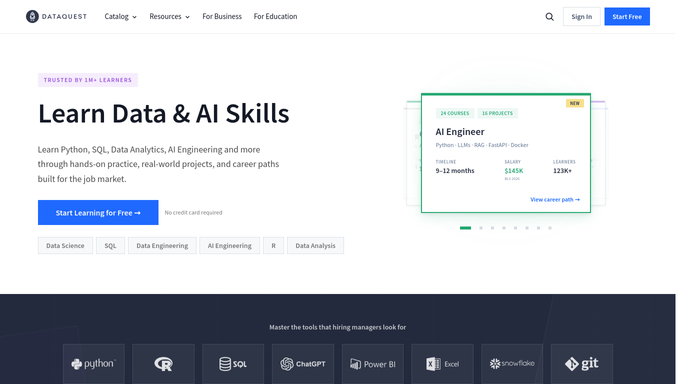
WebRun opens Dataquest to check learner progress. - Open Dataquest and review each team member's assigned learning paths
- Compare the last completed lesson against today's date
- Flag anyone with no completed lesson in the last 7 days
Done when Every assigned learner has been checked for recent activity.
-
2
Google Calendar - add a manager check in
calendar.google.com How to Automate Google Calendar

WebRun opens Google Calendar to add a manager check in. - Add a short check in reminder on the manager's calendar for each flagged learner
- Include the learner's name and their last completed lesson
- Set the reminder for later that week, not the same day
Done when A check in reminder exists for every stalled learner.
-
3
Microsoft Teams - alert the manager
microsoft.com How to Automate Microsoft Teams

WebRun opens Microsoft Teams to alert the manager. - Post an alert to the manager listing who has stalled and for how long
- Sort the list by longest inactive first
- Leave the outreach to the manager. WebRun never messages learners directly
Done when The manager has today's stalled learner list in Teams.
How is each run configured?
Secure by default
Connect once, stays signed in
WebRun signs in once and keeps each session in a persistent environment, so every run picks up right where it left off.
Every action is checked against this policy before it runs.
Questions, answered
Will it message learners directly?
No. WebRun only alerts the manager in Microsoft Teams and adds a calendar reminder. It never contacts the learner itself.
What counts as stalled?
A learner with no completed lesson in the last 7 days. That threshold keeps early nudges from firing on people who are just between sessions.
Does it work across multiple learning paths?
Yes. It checks every path assigned to each team member in the same run, not just one course.
Related templates
Put this on autopilot.
Turn it on in minutes - or have our team set it up for you.