Start the day knowing what broke overnight
Every morning, WebRun opens Datadog, reads every monitor that triggered since the last working day ended, separates the ones that recovered from the ones still alerting, posts a handover summary to Telegram, and texts the on-call engineer through Twilio about anything still open.
- No credit card
- Under $0.01 per run
- Cancel anytime
How do I get a summary of what alerted overnight?
WebRun opens Datadog every morning and reads every monitor that triggered overnight. It separates alerts that recovered from those still firing, posts a handover summary to Telegram with services and durations, and texts the on-call engineer through Twilio about anything still alerting.
- The team starts the day knowing every overnight alert and its duration
- Anything still firing gets a direct text, not a buried dashboard
- Flapping and no-data monitors get named before they hide a real failure
Built for site reliability engineers · DevOps teams · on-call engineers · platform teams
What does WebRun do on every run?
The exact actions WebRun takes, in order - in plain language, so you can adjust anything.
-
WebRun signs in and gets to work
Opens
app.datadoghq.comin a real browser with your saved login - no setup, no API keys. -
1
Datadog - read overnight monitor activity
datadoghq.com
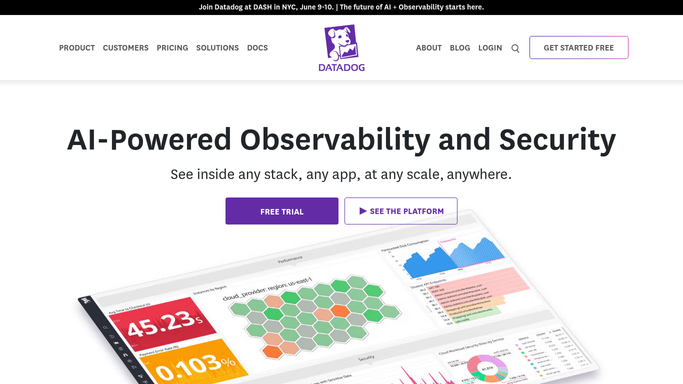
WebRun opens Datadog to read overnight monitor activity. - Open Datadog and go to the monitors view filtered to the overnight window
- Capture every monitor that changed to Alert or Warn, with the service, the time, and how long it stayed triggered
- Separate monitors that recovered on their own from monitors still in Alert now
- Note any monitor that flapped repeatedly and any that is muted or in a no-data state
Done when Every overnight monitor event is captured and sorted into recovered or still alerting.
-
2
Telegram - post the handover summary
telegram.org How to Automate Telegram

WebRun opens Telegram to post the handover summary. - Post the handover summary to your engineering channel in Telegram
- Lead with anything still alerting, named by service and time triggered
- List the recovered alerts underneath with how long each lasted
- Add a short line on flapping monitors and monitors sitting in no-data, which usually means a broken agent
Done when The engineering channel has this morning's overnight handover.
-
3
Twilio - text on-call about what is still open
twilio.com How to Automate Twilio

WebRun opens Twilio to text on-call about what is still open. - Send a short text through Twilio to the on-call number when a monitor is still in Alert
- Name the service, the monitor, and how long it has been alerting so the text stands alone
- Send to the internal on-call rota numbers only, never to a customer or a vendor
- Never acknowledge, mute, resolve, or edit a monitor in Datadog
Done when On-call has been texted about every monitor still alerting.
How is each run configured?
Secure by default
Connect once, stays signed in
WebRun signs in once and keeps each session in a persistent environment, so every run picks up right where it left off.
Every action is checked against this policy before it runs.
Questions, answered
Will it change or silence my monitors?
No. WebRun reads monitor state and history only. It never acknowledges, mutes, resolves, deletes, or edits a monitor, and it never touches a dashboard, so your alerting config is exactly as you left it.
Who gets the text message?
Only the internal on-call numbers you put on the approved list. WebRun never texts a customer, a vendor, or anyone outside that list, and a text is sent only when a monitor is genuinely still alerting.
Does it replace paging?
No. Your existing paging still handles the middle of the night. This run is the morning handover: it answers what happened while nobody was watching and what is still open, so the day starts with the full picture.
Related templates
Put this on autopilot.
Turn it on in minutes - or have our team set it up for you.