Find the monitors that page you and never matter
Every Monday, WebRun opens Datadog, reads the triggered alerts from the last week, ranks monitors by fire count and by how many resolved without anyone touching them, records the review in Notion with the muted and forgotten ones, and posts the top noise sources to Slack.
- No credit card
- Under $0.01 per run
- Cancel anytime
How do I find which Datadog monitors are creating alert noise?
Every Monday WebRun opens Datadog, reads the triggered alerts from the last week, and ranks monitors by how often they fired and how many resolved on their own. It records the review in Notion, lists muted and forgotten monitors, and posts the top noise sources to Slack for the on-call lead to tune.
- The loudest monitors are named every week instead of quietly tolerated
- Alerts that always self-resolve are separated from ones worth a page
- Monitors muted and forgotten for weeks come back into view
Built for on-call engineers · SRE teams · DevOps leads · platform teams
What does WebRun do on every run?
The exact actions WebRun takes, in order - in plain language, so you can adjust anything.
-
WebRun signs in and gets to work
Opens
app.datadoghq.comin a real browser with your saved login - no setup, no API keys. -
1
Datadog - rank monitors by alert volume
datadoghq.com
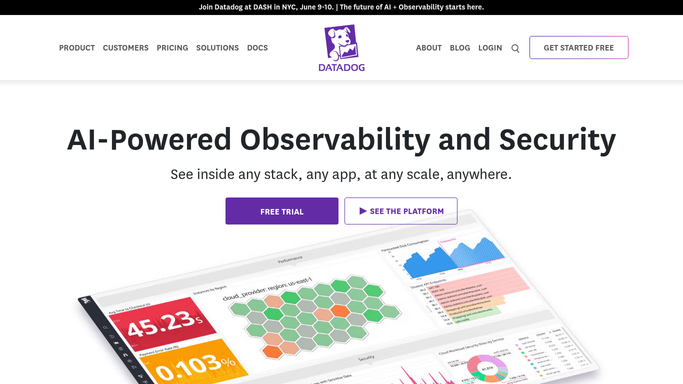
WebRun opens Datadog to rank monitors by alert volume. - Open Datadog and review the triggered alerts from the last 7 days
- Count how many times each monitor fired and how many times it auto resolved
- Note how long each alert stayed open before it cleared
- List the monitors that are currently muted and when the mute was set
- Capture the notification channels each noisy monitor pages
Done when Every monitor that fired last week is ranked by fire count and auto resolve rate.
-
2
Notion - record the weekly noise review
notion.so How to Automate Notion

WebRun opens Notion to record the weekly noise review. - Write this week's review onto the alerting page with one row per monitor
- Show fire count, auto resolve share, and average time open side by side
- Add a section for muted monitors and how long each has been silent
- Keep last week's numbers alongside so tuning can be judged over time
Done when The weekly noise review is recorded in Notion with a trend against last week.
-
3
Slack - post the top noise sources
slack.com How to Automate Slack

WebRun opens Slack to post the top noise sources. - Post the top noise sources to the on-call channel with their fire counts
- Call out monitors where most alerts resolved themselves within minutes
- List monitors muted for more than a month as candidates to delete or fix
- Change nothing in Datadog. Thresholds and mutes stay the team's decision
Done when The on-call lead has the ranked noise list in Slack.
How is each run configured?
Secure by default
Connect once, stays signed in
WebRun signs in once and keeps each session in a persistent environment, so every run picks up right where it left off.
Every action is checked against this policy before it runs.
Questions, answered
Will it mute or edit my monitors?
No. WebRun only reads alert history and reports it. Changing a threshold, muting a monitor, or deleting one stays a decision your on-call team makes in Datadog.
How does it decide a monitor is noisy?
It ranks by fire count over the last 7 days and by the share of alerts that resolved on their own within minutes, since a monitor that always self-clears rarely needed a page.
Does it catch monitors nobody looks at?
Yes. It lists monitors that have been muted for weeks, which is where forgotten alerting hides, and flags any muted for more than a month.
Related templates
Put this on autopilot.
Turn it on in minutes - or have our team set it up for you.