Automated data.world Dataset Intake Checks
Every night, WebRun opens data.world, lists the datasets added since the last run, checks each for an owner, a description, and tags, notes which collections it belongs to, texts you the gaps through Twilio, and books a short review hold on your Google Calendar for the morning.
How do I make sure new datasets arrive with an owner and a description?
Every night WebRun opens data.world, lists the datasets added today, and checks each one for an owner, a description, and tags. It texts you the gaps through Twilio and puts a morning review hold on your Google Calendar, so a new dataset gets documented while it is still cheap to fix.
- Undocumented datasets are caught the night they land
- Every gap names the uploader to chase
- Fix time is already blocked on the calendar
Built for data stewards · analytics teams · data governance leads · research teams
What does WebRun do on every run?
The exact actions WebRun takes, in order - in plain language, so you can adjust anything.
-
WebRun signs in and gets to work
Opens
data.worldin a real browser with your saved login - no setup, no API keys. -
1
data.world - check today's new datasets
data.world
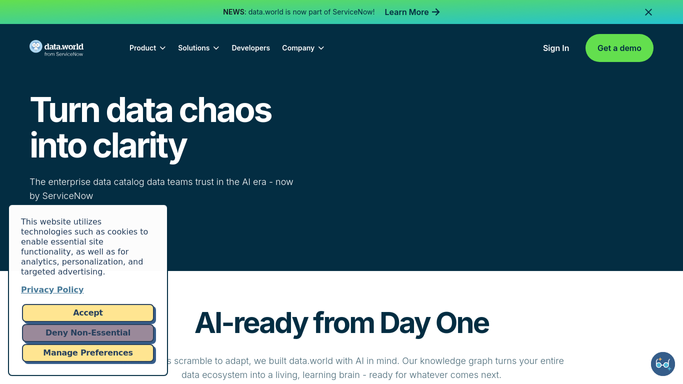
WebRun opens data.world to check today's new datasets. - Open data.world and list the datasets created or first published since the last run
- Check each for a named owner, a written description, and at least one tag
- Note which collections it sits in, and who uploaded it. Read only: never edit or delete a dataset
Done when Every dataset added today is marked complete or missing named fields.
-
2
Twilio - text you the gaps
twilio.com

WebRun opens Twilio to text you the gaps. - Text you through Twilio when any dataset arrived incomplete, with the count and the uploader
- Name the single worst offender, usually the one with no owner at all
- Send only to the internal numbers you saved. WebRun texts no one else, and it never contacts an uploader directly
Done when You have been texted about tonight's incomplete datasets.
-
3
Google Calendar - book time to fix them
calendar.google.com

WebRun opens Google Calendar to book time to fix them. - Put a short review hold on your own calendar for the next working morning
- Title it with how many datasets need documenting and list them in the notes
- Leave the hold with no guests, so nobody outside your calendar gets an invite
Done when A dated review hold sits on your calendar for every night with gaps.
How is each run configured?
Secure by default
Connect once, stays signed in
WebRun signs in once and keeps each session in a persistent environment, so every run picks up right where it left off.
Every action is checked against this policy before it runs.
Questions, answered
Will it edit datasets to fill in the gaps?
No. WebRun only reads the catalogue and reports what is missing. It never writes a description, assigns an owner, adds a tag, or deletes a dataset.
Does it message the person who uploaded it?
No. The text goes only to the internal numbers you saved. Chasing the uploader stays your call the next morning, with the list already in hand.
What counts as documented?
A named owner, a written description, and at least one tag by default. Adjust the required fields at setup and every nightly check uses your definition instead.
Related templates
Put this on autopilot.
Turn it on in minutes - or have our team set it up for you.