Catch the schedule that is switched off before the data goes stale
Every morning, WebRun opens Dagster, checks which schedules and sensors are running and which are stopped, finds the assets that have not materialized within the window you expect, writes the result to Google Sheets, and messages you on WhatsApp with what did not run at all overnight.
- No credit card
- Under $0.01 per run
- Cancel anytime
How do I catch a Dagster schedule that is turned off?
WebRun audits your Dagster deployment every morning. It checks which schedules and sensors are stopped, whether each code location loaded, and which assets have not materialized inside their expected window, logs the result to Google Sheets, and messages you on WhatsApp with what never ran at all.
- A schedule switched off is caught the next morning, not next quarter
- Stale assets are reported even when no run ever failed
- A code location that failed to load is flagged before anyone trusts the numbers
Built for data engineers · analytics engineering teams · platform teams · data leads
What does WebRun do on every run?
The exact actions WebRun takes, in order - in plain language, so you can adjust anything.
-
WebRun signs in and gets to work
Opens
dagster.cloudin a real browser with your saved login - no setup, no API keys. -
1
Dagster - check schedules, sensors and asset freshness
dagster.io
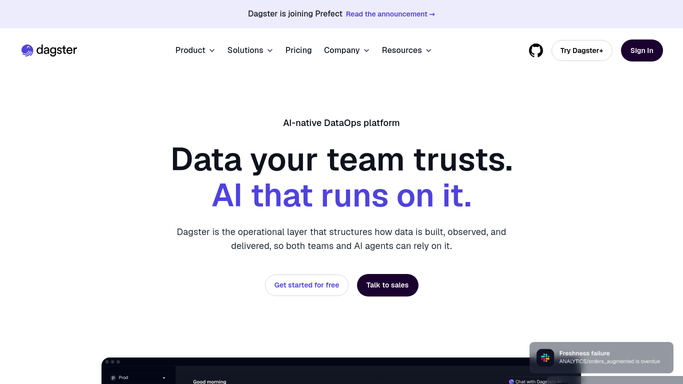
WebRun opens Dagster to check schedules, sensors and asset freshness. - Open Dagster and list every schedule with its status, showing which are running and which are stopped
- Do the same for sensors, noting any that are off or have not ticked recently
- Walk the asset catalog and record the last materialization time for each asset you care about
- Mark assets that have not materialized inside their expected window, whether or not any run failed
- Check each code location loaded cleanly, since a location that fails to load takes its schedules with it
- Note partitions that are missing for recent periods
Done when Every schedule, sensor, code location and tracked asset has a running or stopped state and a last materialization time.
-
2
Google Sheets - log the daily audit
google.com How to Automate Google Sheets

WebRun opens Google Sheets to log the daily audit. - Append today's audit to your data platform sheet, one row per schedule, sensor and tracked asset
- Record the state, the last materialization time and how far past the expected window it is
- Compare against yesterday's rows and mark anything whose state changed
- Keep the history so you can see how long a schedule has been off
Done when The sheet holds today's audit rows with yesterday's state comparison marked.
-
3
WhatsApp - message what never ran
whatsapp.com How to Automate WhatsApp

WebRun opens WhatsApp to message what never ran. - Message yourself what did not run at all overnight
- Lead with stopped schedules and sensors, naming when each was last running
- List the stale assets with how far past their expected window they are
- Add any code location that failed to load, since nothing behind it will have started
- Stay quiet when everything is running and every asset is fresh
Done when You have this morning's list of what never ran, or silence because everything did.
How is each run configured?
Secure by default
Connect once, stays signed in
WebRun signs in once and keeps each session in a persistent environment, so every run picks up right where it left off.
Every action is checked against this policy before it runs.
Questions, answered
Will it start schedules or launch runs itself?
No. WebRun only reads schedule and sensor state, asset materialization times and code location status. Turning a schedule back on or backfilling a partition stays a human decision, so nothing is launched against your warehouse automatically.
Why not just rely on run failure alerts?
Because a stopped schedule never produces a failed run. Nothing starts, so nothing fails, and a failure-only alert stays silent while the data quietly goes stale. This audit checks state and freshness rather than waiting for an error.
How does it know an asset is late?
You set the expected window per asset, for example materialized within the last 24 hours. WebRun compares the last materialization time against that window each morning and reports how far past it the asset is.
Related templates
Put this on autopilot.
Turn it on in minutes - or have our team set it up for you.