Get a weekly CrashPlan backup compliance scorecard
Every Monday, WebRun opens the CrashPlan admin console, checks every device's backup status, logs the compliance data to Google Sheets, and updates a Notion dashboard with the week's compliance percentage and any out-of-compliance devices.
- No credit card
- Under $0.01 per run
- Cancel anytime
What does WebRun do on every run?
The exact actions WebRun takes, in order - in plain language, so you can adjust anything.
-
WebRun signs in and gets to work
Opens
www.crashplan.comin a real browser with your saved login - no setup, no API keys. -
1
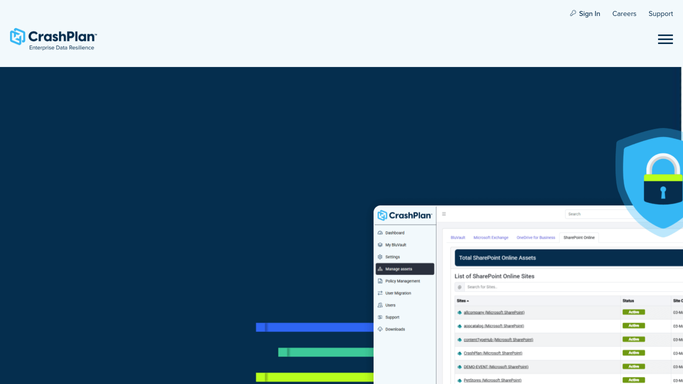
CrashPlan - pull device backup status
crashplan.com

WebRun opens CrashPlan to pull device backup status. - Open the CrashPlan admin console and check every device's backup status
- Note last backup time and whether the device is in compliance
- Flag any device that has fallen out of compliance this week
Done when Every device's compliance status is captured for this run.
-
2
Google Sheets - log the compliance data
google.com How to Automate Google Sheets
WebRun opens Google Sheets to log the compliance data. - Append this week's compliance data as a new row per device
- Include last backup time and compliance status
- Keep prior weeks so trends are visible over time
Done when The compliance log sheet reflects this week's data.
-
3
Notion - update the dashboard summary
notion.so How to Automate Notion
WebRun opens Notion to update the dashboard summary. - Update the backup compliance dashboard with this week's numbers
- Show the percentage of devices in compliance
- List out-of-compliance devices by name
Done when The Notion dashboard reflects this week's compliance score.


How do I track CrashPlan backup compliance across devices?
WebRun checks CrashPlan every Monday for every device's backup status, and logs the compliance data to Google Sheets. It updates a Notion dashboard with the week's compliance percentage and lists any device that fell out of compliance, so IT starts the week knowing exactly which machines need attention.
- Compliance trends are visible week over week
- Out-of-compliance devices are named, not just counted
- IT starts each week with a clear backup scorecard
Built for IT admins · managed service providers · compliance officers at small businesses
How is each run configured?
Secure by default
Connect once, stays signed in
WebRun signs in once and keeps each session in a persistent environment, so every run picks up right where it left off.
Every action is checked against this policy before it runs.
Questions, answered
Does it fix devices that are out of compliance?
No. It only reports which devices are out of compliance. Getting them backed up again is left to IT.
How is compliance calculated?
A device counts as in compliance if it completed a backup within CrashPlan's expected window. Anything older counts against the weekly score.
Can I see how compliance has changed over time?
Yes. Every week's numbers are appended to the same Google Sheets log, so a dip in compliance is easy to spot and trace.
Related templates
Put this on autopilot.
Turn it on in minutes - or have our team set it up for you.