Keep an audit-ready record of every course completed
Every Monday, WebRun signs in to Coursera, collects the courses and specializations completed since the last run with their certificate details and completion dates, posts the evidence table to Slack, and texts the learning lead a summary through Twilio, so the training log stays audit ready.
- No credit card
- Under $0.01 per run
- Cancel anytime
How do I keep a record of course certificates my team completes?
WebRun collects your team's completed Coursera courses and specializations every Monday, capturing the learner, the completion date, and the certificate reference for each. It posts the evidence table to Slack and texts the learning lead a summary through Twilio, so the training log is audit ready without chasing forwarded emails.
- An evidence table is ready for audits without chasing certificate emails
- Every completion carries a learner, date, and certificate reference
- Finished specializations are flagged the week they complete
Built for learning and development leads · HR teams · compliance managers · training coordinators
What does WebRun do on every run?
The exact actions WebRun takes, in order - in plain language, so you can adjust anything.
-
WebRun signs in and gets to work
Opens
www.coursera.orgin a real browser with your saved login - no setup, no API keys. -
1
Coursera - collect completions and certificates
coursera.org
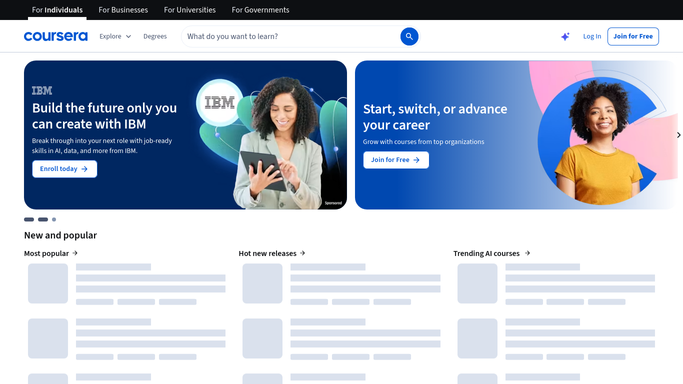
WebRun opens Coursera to collect completions and certificates. - Sign in to Coursera and open the accomplishments and enrollment views
- List courses and specializations completed since the last run
- Capture the learner, the course name, the completion date, and the certificate reference
- Skip completions already recorded so nothing is logged twice
Done when Every new completion has a learner, a date, and a certificate reference.
-
2
Slack - post the training record
slack.com How to Automate Slack

WebRun opens Slack to post the training record. - Post the week's completions to your learning and development channel as an evidence table
- Give each row the learner, course, specialization, completion date, and certificate reference
- Add a running count of completions per learner for the quarter
- Note any specialization now finished so the certificate can be filed
Done when The week's training record is posted in Slack.
-
3
Twilio - text the learning lead
twilio.com How to Automate Twilio

WebRun opens Twilio to text the learning lead. - Text the learning lead's own number the count of completions and who finished a specialization
- Send only to the internal team numbers you configured
- Never text a learner. WebRun messages your own team, not the people on the courses
- Link back to the Slack post holding the full evidence table
Done when The learning lead has this week's completion summary.
How is each run configured?
Secure by default
Connect once, stays signed in
WebRun signs in once and keeps each session in a persistent environment, so every run picks up right where it left off.
Every action is checked against this policy before it runs.
Questions, answered
Does it message the learners themselves?
No. Slack posts go to your internal learning channel and Twilio texts go only to the team numbers you configured. WebRun never contacts a learner or comments inside Coursera.
Will completions be recorded twice?
No. Each run compares against what is already logged and only adds completions recorded since the last run, so the training record stays clean week after week.
Does it enrol people or change course settings?
No. WebRun only reads accomplishments and enrollment status. Enrolling a learner, unenrolling, or buying a course stays a decision your team makes.
Related templates
Put this on autopilot.
Turn it on in minutes - or have our team set it up for you.