Find published entries missing a translation
Every Monday, WebRun opens Contentful, goes through your published entries locale by locale, finds the ones that exist in the main language only, opens a Trello card per content type with the entries to translate, and sends the coverage summary to WhatsApp.
- No credit card
- Under $0.01 per run
- Cancel anytime
How do I find published content that is missing a translation?
WebRun checks translation coverage every Monday. It opens Contentful, compares your published entries locale by locale, finds the ones living in the main language only, opens a Trello card per content type with the entries and fields to translate, and sends the summary to WhatsApp.
- Untranslated live pages are named every Monday
- Translation work arrives batched by content type
- Coverage per locale is tracked week to week
Built for content leads · localisation managers · web teams · developers
What does WebRun do on every run?
The exact actions WebRun takes, in order - in plain language, so you can adjust anything.
-
WebRun signs in and gets to work
Opens
be.contentful.com/loginin a real browser with your saved login - no setup, no API keys. -
1
Contentful - check locale coverage per entry
contentful.com
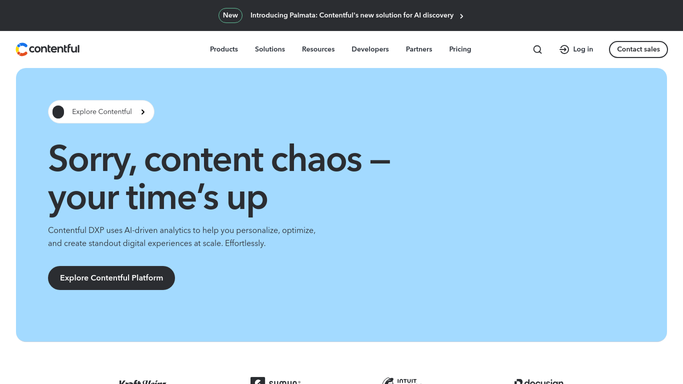
WebRun opens Contentful to check locale coverage per entry. - Open Contentful and list the locales configured on the space
- Go through published entries and check which locales each one has content for
- Flag entries published in the main locale with the other locales left empty
- Group the gaps by content type and note which fields are missing
Done when Every published entry has a locale coverage result and the gaps are grouped by content type.
-
2
Trello - open a card per content type
trello.com How to Automate Trello

WebRun opens Trello to open a card per content type. - Open a Trello card per content type listing the entries missing a translation
- Put the locale needed and the fields to fill on each card
- Rank the board so the content types with the most gaps come first
- Leave every entry untouched. WebRun never edits, translates, or publishes content itself
Done when Each content type with gaps has a Trello card ready to brief a translator.
-
3
WhatsApp - send the coverage summary
whatsapp.com How to Automate WhatsApp

WebRun opens WhatsApp to send the coverage summary. - Send the content lead a WhatsApp summary: entries checked, gaps found, and coverage per locale
- Show the change since last week so progress is visible
- Name the content type with the widest gap
Done when The content lead has this week's coverage summary in WhatsApp.
How is each run configured?
Secure by default
Connect once, stays signed in
WebRun signs in once and keeps each session in a persistent environment, so every run picks up right where it left off.
Every action is checked against this policy before it runs.
Questions, answered
Will it translate or publish entries itself?
No. WebRun only reports which published entries are missing a locale. Writing a translation and publishing it stays with your content team, so nothing goes live unreviewed.
Which entries does it check?
Published entries across the space, compared locale by locale. Drafts are left out so the report reflects what is actually live and visible to readers.
Can it group the work for a translator?
Yes. Gaps are grouped by content type on the Trello board with the locale and the fields to fill, so a translator gets one batched brief instead of scattered entries.
Related templates
Put this on autopilot.
Turn it on in minutes - or have our team set it up for you.