Reconcile Conekta charges every night
Every night, WebRun opens the Conekta dashboard, matches today's successful charges to orders by reference, calculates the day's failure rate, saves a dated reconciliation spreadsheet to Google Drive, and sends a Twilio text only when the failure rate more than doubles.
- No credit card
- Under $0.01 per run
- Cancel anytime
How do I reconcile daily Conekta charges and catch failure spikes?
WebRun exports today's Conekta charges every night, matches successful ones to orders by reference, and calculates the day's failure rate. It saves a dated reconciliation spreadsheet to Google Drive every run, and sends a Twilio text only when the failure rate more than doubles, so a real payment problem gets noticed the same night it starts.
- Failure spikes get caught the same night, not at month end
- Every night's reconciliation is saved for your accountant
- A normal night generates no noise at all
Built for Mexican ecommerce merchants · finance teams · payment operations
What does WebRun do on every run?
The exact actions WebRun takes, in order - in plain language, so you can adjust anything.
-
WebRun signs in and gets to work
Opens
www.conekta.comin a real browser with your saved login - no setup, no API keys. -
1
Conekta - pull today's charges and their status
conekta.com
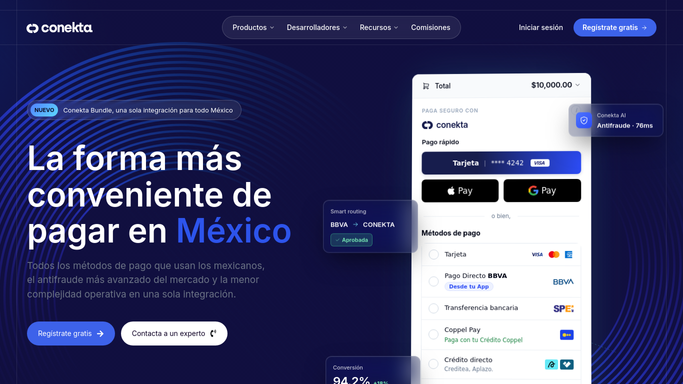
WebRun opens Conekta to pull today's charges and their status. - Open the Conekta dashboard and export today's charges with their status
- Match successful charges to orders by order reference
- Calculate today's failure rate
Done when Every charge today is captured with its status and matched where possible.
-
2
Google Drive - save the daily reconciliation export
drive.google.com How to Automate Google Drive

WebRun saves the daily reconciliation export to Google Drive. - Save the day's reconciliation export as a dated spreadsheet in the Finance folder
- Include matched, failed, and unmatched counts
Done when Today's reconciliation export is saved in Google Drive.
-
3
Twilio - text an alert for a failed charge spike
twilio.com How to Automate Twilio

WebRun texts an alert through Twilio for a failed charge spike. - Send an SMS only if today's failure rate is more than double the usual rate
- Skip the text on a normal day
Done when Only a genuine failure spike triggers an SMS.
How is each run configured?
Secure by default
Connect once, stays signed in
WebRun signs in once and keeps each session in a persistent environment, so every run picks up right where it left off.
Every action is checked against this policy before it runs.
Questions, answered
What counts as a failure spike?
More than double your usual daily failure rate. That is the only case that triggers a Twilio SMS. Every other night, the saved export alone covers it.
Will WebRun retry failed charges or issue refunds?
No. WebRun only reads charge status and reports on it. It never retries a charge, issues a refund, or moves money on its own. Any retry or refund stays a manual action in Conekta.
Can my accountant use the saved export?
Yes. Each night's spreadsheet is saved to the shared Google Drive Finance folder, so anyone with access can open it directly instead of asking for a screenshot.
Related templates
Put this on autopilot.
Turn it on in minutes - or have our team set it up for you.