Automated CommSec Trade Record Summaries
Every Monday, WebRun signs into CommSec, opens your confirmations and statements for the previous week, lists each buy and sell with its date, code, quantity, price, and brokerage, drafts a tidy summary email to your accountant in Gmail for you to approve, and sends you the same week's activity as a short WhatsApp message.
How do I keep a weekly record of my share trades for tax time?
WebRun opens CommSec every Monday and reads your confirmations from the previous week, capturing each trade's date, code, quantity, price, and brokerage. It drafts an accountant-ready summary email in Gmail for you to approve and sends the same week's activity to WhatsApp, so your records stay current all year.
- Tax time starts with 52 weeks of records already written
- Your accountant gets a consistent weekly summary format
- Brokerage costs stay visible week by week
Built for Australian investors · self managed super funds · bookkeepers · accountants
What does WebRun do on every run?
The exact actions WebRun takes, in order - in plain language, so you can adjust anything.
-
WebRun signs in and gets to work
Opens
www.commsec.com.auin a real browser with your saved login - no setup, no API keys. -
1
CommSec - read last week's confirmations
commsec.com.au
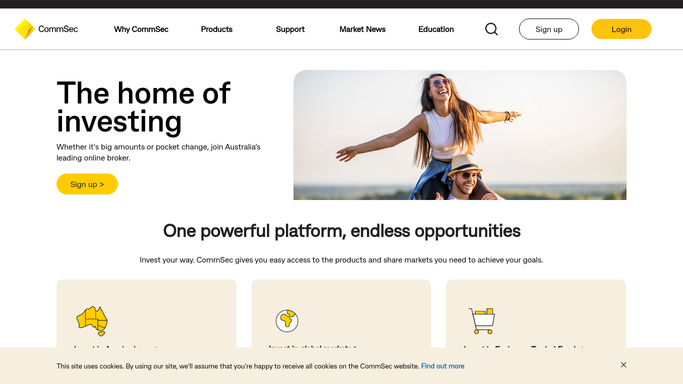
WebRun opens CommSec to read last week's confirmations. - Sign into CommSec and open your confirmations and statements section
- List every trade confirmation dated in the previous 7 days
- Capture the trade date, security code, buy or sell, quantity, price, brokerage, and settlement date for each
Done when Every confirmation from the previous week is listed with its details.
-
2
Gmail - draft the accountant summary
gmail.com

WebRun opens Gmail to draft the accountant summary. - Compose a summary email to your accountant listing each trade in a simple table
- Add the week's totals for value traded and brokerage paid
- Leave the message as a Gmail draft. WebRun never sends financial records to a third party on its own
Done when A draft summary email is waiting in Gmail for your review.
-
3
WhatsApp - send you the week's activity
whatsapp.com

WebRun opens WhatsApp to send you the week's activity. - Send yourself a short list of last week's trades with codes, quantities, and prices
- Include the total brokerage paid for the week
- Say plainly when there was no activity in the period
Done when You have last week's trade record on WhatsApp.
How is each run configured?
Secure by default
Connect once, stays signed in
WebRun signs in once and keeps each session in a persistent environment, so every run picks up right where it left off.
Every action is checked against this policy before it runs.
Questions, answered
Can it place or cancel trades?
No. WebRun never places, amends, or cancels an order, and it never moves money. It only reads your confirmations and statements and writes them into a summary.
Will it email my accountant on its own?
No. The summary is left as a Gmail draft for you to read and send. Your financial records never leave your control without an explicit human click.
Does it give advice on what to buy or sell?
No. This is a record-keeping routine only. WebRun reports what already happened in your account and offers no view on any security or strategy.
Related templates
Put this on autopilot.
Turn it on in minutes - or have our team set it up for you.