Automated CoinMarketCap Watchlist Digest
Every morning, WebRun opens CoinMarketCap, reads the price and rank of every coin on your watchlist plus the day's trending list, sends you a short digest over WhatsApp, and keeps a standing weekly review reminder on Google Calendar so you never lose a week without checking in.
How do I get a daily digest of my CoinMarketCap watchlist?
WebRun checks your CoinMarketCap watchlist every morning along with the day's trending coins, and sends you a short WhatsApp digest of the price moves. It also keeps a standing weekly review reminder on your Google Calendar with that week's average performance noted, so daily awareness turns into an actual weekly check-in.
- Your watchlist and the day's trending coins land in WhatsApp before you open the app
- A standing weekly reminder means quick glances turn into an actual review
- Nothing to configure weekly. The calendar event recreates itself if it goes missing
Built for crypto investors · retail traders · crypto newcomers · portfolio watchers
What does WebRun do on every run?
The exact actions WebRun takes, in order - in plain language, so you can adjust anything.
-
WebRun signs in and gets to work
Opens
coinmarketcap.comin a real browser with your saved login - no setup, no API keys. -
1
CoinMarketCap - read watchlist and trending coins
coinmarketcap.com
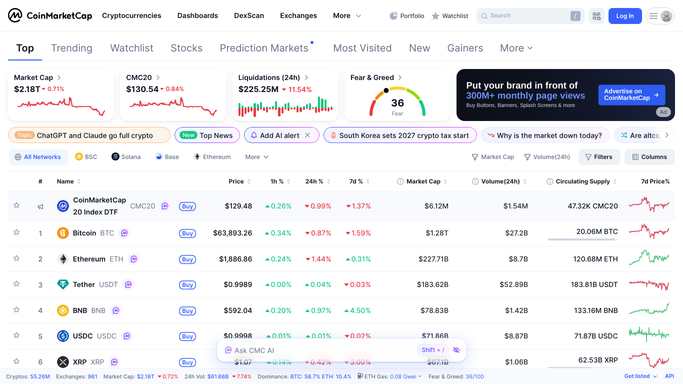
WebRun opens CoinMarketCap to read watchlist and trending coins. - Open CoinMarketCap and load your saved watchlist
- Read price, market cap rank, and 24-hour change for each coin
- Check the Trending and Gainers and Losers pages for anything notable
Done when Watchlist prices and today's trending coins are both captured.
-
2
WhatsApp - send the daily digest
whatsapp.com

WebRun uses WhatsApp to send the daily digest. - Send a short message with your watchlist's price moves and any coin newly trending
- Keep it to a few lines you can read in a glance
- Skip the message only if WebRun cannot reach CoinMarketCap that run
Done when Your daily WhatsApp digest has gone out.
-
3
Google Calendar - keep the weekly review reminder
calendar.google.com

WebRun opens Google Calendar to keep the weekly review reminder. - Confirm the recurring weekly market review slot still exists on your calendar
- Add the week's average watchlist performance to the event notes
- Recreate the event if it was ever deleted
Done when This week's review reminder is on the calendar with a performance note attached.
How is each run configured?
Secure by default
Connect once, stays signed in
WebRun signs in once and keeps each session in a persistent environment, so every run picks up right where it left off.
Every action is checked against this policy before it runs.
Questions, answered
Will WebRun trade based on the trending coins it finds?
No. WebRun only reports what is trending and how your watchlist moved. It never places a trade or moves funds. All of it is public market data, read and reported only.
What counts as trending?
Whatever CoinMarketCap's own Trending and Gainers and Losers pages show that day. WebRun just reads and summarizes it, it does not calculate its own ranking.
Why is there a calendar reminder if I already get a daily digest?
The daily digest is a quick glance. The weekly reminder is a nudge to actually sit down and review performance properly, not just skim a message.
Related templates
Put this on autopilot.
Turn it on in minutes - or have our team set it up for you.