Get reminded to export your CoinJar report before tax year end
In the 30 days before tax year end, WebRun opens CoinJar each morning, confirms the transaction history looks complete, adds a Google Calendar reminder to export your report, and pings you on WhatsApp with a countdown so the export never gets left too late.
- No credit card
- Under $0.01 per run
- Cancel anytime
How do I get reminded to export my CoinJar tax report before the deadline?
In the 30 days before your tax year ends, WebRun checks each morning that your CoinJar transaction history looks current, adds a Google Calendar reminder for the export deadline, and sends a daily WhatsApp countdown with where in CoinJar to generate the report, so exporting your tax report never gets left until it is too late.
- The export deadline gets a calendar reminder weeks in advance, not the night before
- A daily countdown in the final window makes the deadline hard to miss
- Transaction history is confirmed current before you rely on the export
Built for CoinJar users · Australian crypto investors · UK crypto investors · crypto taxpayers
What does WebRun do on every run?
The exact actions WebRun takes, in order - in plain language, so you can adjust anything.
-
WebRun signs in and gets to work
Opens
www.coinjar.comin a real browser with your saved login - no setup, no API keys. -
1
CoinJar - check transaction history is current
coinjar.com
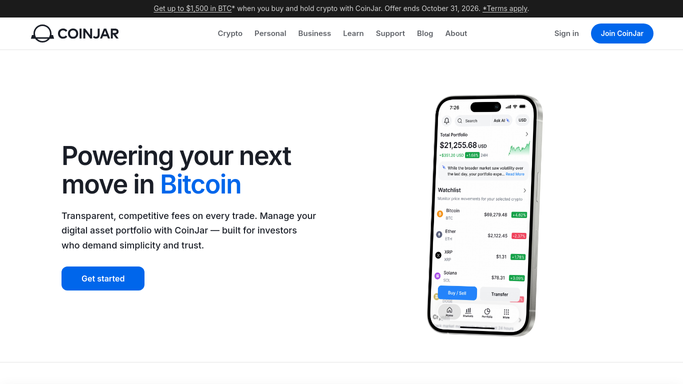
WebRun opens CoinJar to check transaction history is current. - Open CoinJar and review the transaction history
- Confirm the most recent transactions are showing as expected
- Note the date range available for the report export
Done when Transaction history is confirmed current for the report you will need.
-
2
Google Calendar - add the export reminder
calendar.google.com How to Automate Google Calendar

WebRun opens Google Calendar to add the export reminder. - Add or update a reminder event for exporting your CoinJar tax report
- Title it clearly with the tax year end date it relates to
- Move the reminder if the deadline changes
Done when A calendar reminder exists ahead of the export deadline.
-
3
WhatsApp - send the countdown ping
whatsapp.com How to Automate WhatsApp

WebRun opens WhatsApp to send the countdown ping. - Send a WhatsApp message with the number of days left until tax year end
- Remind you where in CoinJar to generate the export
- Never generate, download, or submit the report on your behalf
Done when You have a WhatsApp countdown reminder each day in the final window.
How is each run configured?
Secure by default
Connect once, stays signed in
WebRun signs in once and keeps each session in a persistent environment, so every run picks up right where it left off.
Every action is checked against this policy before it runs.
Questions, answered
Will WebRun generate or file my tax report for me?
No. WebRun only checks that your transaction history looks current and reminds you to export it yourself. It never generates, downloads, or files a report, and it never moves funds on CoinJar.
When does the countdown start?
Reminders begin 30 days before your tax year end and continue daily, so you have plenty of notice rather than a single last minute alert.
What if I already exported my report?
Once you confirm it is done, the countdown for that tax year stops, since the reminder exists only to make sure the export actually happens.
Related templates
Put this on autopilot.
Turn it on in minutes - or have our team set it up for you.