Move the entries that have been stuck in one status too long
Every morning, WebRun opens Cognito Forms, works through the entries in each form's workflow, finds the ones that have sat in the same status longer than you allow, drafts a Gmail nudge to the role that owes the next action, and puts a follow-up hold on Google Calendar so nothing quietly stalls.
- No credit card
- Under $0.01 per run
- Cancel anytime
How do I chase form entries stuck in a workflow status?
WebRun opens Cognito Forms every morning and finds the entries sitting in the same workflow status past the limit you set. It drafts a Gmail nudge to the role that owes the next action and books a Google Calendar hold to clear them, so approvals stop dying quietly in a queue.
- Every entry past its status limit is named with the role holding it
- Approvals stop sitting for weeks unnoticed in one queue
- The chase email is written for you and waits on one click
Built for operations managers · HR teams · councils and nonprofits · professional services firms
What does WebRun do on every run?
The exact actions WebRun takes, in order - in plain language, so you can adjust anything.
-
WebRun signs in and gets to work
Opens
cognitoforms.comin a real browser with your saved login - no setup, no API keys. -
1
Cognito Forms - find entries stuck in status
cognitoforms.com
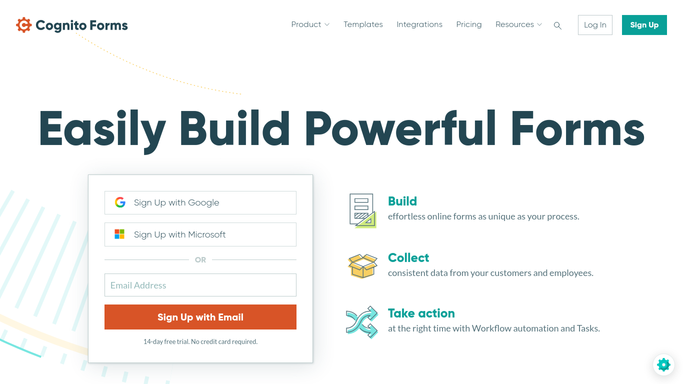
WebRun opens Cognito Forms to find entries stuck in status. - Open Cognito Forms and go through the entries on each form that uses a workflow
- Record the current status of every open entry and how many days it has been there
- Flag any entry past the limit you set for that status, such as three days in review or five days awaiting signature
- Note which role is responsible for the next workflow action on each flagged entry
- Leave the entries alone. WebRun reports what is stuck and never advances a status itself
Done when Every entry past its status limit is listed with its age and its owner.
-
2
Gmail - draft a nudge to the owner
gmail.com How to Automate Gmail

WebRun opens Gmail to draft a nudge to the owner. - Compose one Gmail message per role listing only the entries waiting on them
- Give each line the entry name, the status it is stuck in, the days waiting, and a link to open it
- Leave every message as a draft. WebRun does not send it, so you read the list and press send yourself
Done when A Gmail draft is ready for every role holding up an entry.
-
3
Google Calendar - book the follow-up
calendar.google.com How to Automate Google Calendar

WebRun opens Google Calendar to book the follow-up. - Add a short hold on your own calendar to check the oldest stuck entries later today
- List the entries in the event description so the hold is actionable at a glance
- Skip the hold on a morning when nothing is past its limit
Done when Time is booked to clear the oldest entries in the queue.
How is each run configured?
Secure by default
Connect once, stays signed in
WebRun signs in once and keeps each session in a persistent environment, so every run picks up right where it left off.
Every action is checked against this policy before it runs.
Questions, answered
Will it email people without my approval?
No. Every nudge is left as a Gmail draft for you to read and send. WebRun never emails a colleague, an approver, or a submitter on its own, so nothing goes out in your name unchecked.
Can it move an entry to the next status itself?
No. WebRun reads the workflow and reports what is stuck. Approving, rejecting, or advancing an entry stays with the person who owns that role, because a workflow action is hard to undo.
How long is too long in a status?
You set the limit per status during setup, for example three days in review or five days awaiting signature. Only entries past their own limit are flagged, so normal work never triggers a chase.
Related templates
Put this on autopilot.
Turn it on in minutes - or have our team set it up for you.