Hand hiring managers a ready CodinGame results summary
Every morning, WebRun opens CodinGame, checks for candidate tests completed since the last run, logs each score to Google Sheets, and drafts a Gmail handoff note summarizing the top candidates for the recruiter to review and send to the hiring manager.
- No credit card
- Under $0.01 per run
- Cancel anytime
How do I hand off CodinGame test results to a hiring manager?
WebRun checks CodinGame every morning for candidate tests completed since the last run, logs each score to Google Sheets, and drafts a Gmail handoff note summarizing the top candidates for the recruiter to review and send to the hiring manager, so strong candidates don't wait on a manual results review.
- Hiring managers get a ready summary instead of raw test data
- Top scorers are surfaced the same morning they finish testing
- No candidate summary reaches a manager without recruiter review
Built for technical recruiters · engineering hiring managers · talent acquisition teams · recruiting coordinators
What does WebRun do on every run?
The exact actions WebRun takes, in order - in plain language, so you can adjust anything.
-
WebRun signs in and gets to work
Opens
www.codingame.comin a real browser with your saved login - no setup, no API keys. -
1
CodinGame - check completed candidate tests
codingame.com
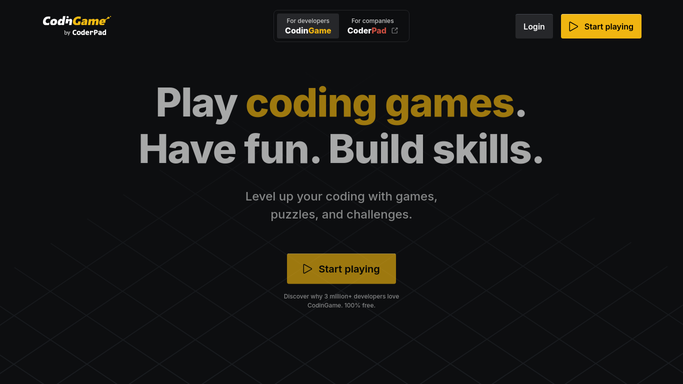
WebRun opens CodinGame to check completed candidate tests. - Open the test dashboard and check for newly completed candidate tests
- Note the score, language used, and completion time for each
- Rank today's candidates by score
Done when Every newly completed test since the last check is captured.
-
2
Google Sheets - log each score
google.com How to Automate Google Sheets

WebRun opens Google Sheets to log each score. - Log each candidate's score as a new row
- Include the test name, score, and completion date
- Sort the sheet by score to surface top performers
Done when Every newly completed test is logged in the tracking sheet.
-
3
Gmail - draft the handoff note
gmail.com How to Automate Gmail

WebRun opens Gmail to draft the handoff note. - Draft a handoff note summarizing today's top-scoring candidates
- Link to the full Google Sheet for detail
- Leave the draft unsent for the recruiter to review and send to the hiring manager
Done when A reviewable handoff note is ready whenever new tests complete.
How is each run configured?
Secure by default
Connect once, stays signed in
WebRun signs in once and keeps each session in a persistent environment, so every run picks up right where it left off.
Every action is checked against this policy before it runs.
Questions, answered
Will it email the hiring manager without the recruiter?
No. The handoff note is always drafted in Gmail and left unsent. The recruiter reviews and sends every note themselves.
Will it reject or advance a candidate on its own?
No. It only reports scores. The hiring manager and recruiter always make the call on next steps.
Does it contact candidates about their results?
No. It only logs scores internally and drafts an internal handoff note. WebRun never emails a candidate their score.
Related templates
Put this on autopilot.
Turn it on in minutes - or have our team set it up for you.