Make sure every student registers before the round closes
Every morning, WebRun opens Codeforces, reads the upcoming contests and their start times, checks each of your student handles against the registration list, records who is missing in Airtable, and drafts a reminder email for you to send while registration is still open.
- No credit card
- Under $0.01 per run
- Cancel anytime
How do I check which students have not registered for a Codeforces contest?
WebRun checks Codeforces every morning for rounds with registration still open, compares the registrant list against your student handles, and records the gaps in Airtable. It then drafts a Gmail reminder naming the unregistered handles and each round's start time, so nobody misses a contest by forgetting to sign up.
- No student misses a round because they forgot to register
- Coaches see the deadline and the missing handles in one place
- Repeatedly late registrants become visible over a term
Built for competitive programming coaches · university clubs · ICPC teams · CS teachers
What does WebRun do on every run?
The exact actions WebRun takes, in order - in plain language, so you can adjust anything.
-
WebRun signs in and gets to work
Opens
codeforces.comin a real browser with your saved login - no setup, no API keys. -
1
Codeforces - check who has registered
codeforces.com
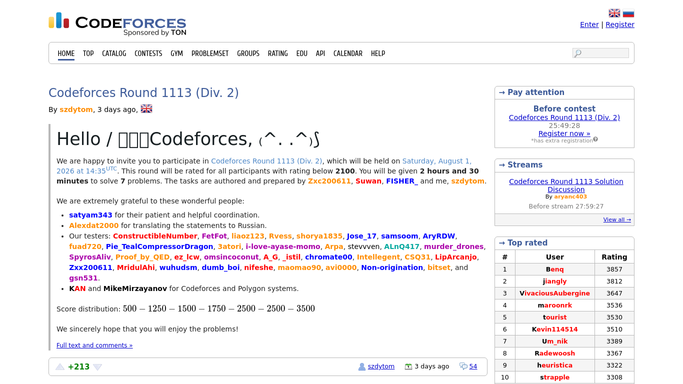
WebRun opens Codeforces to check who has registered. - Open the contests page and list rounds whose registration is still open
- Note each contest's start time, division and how long registration stays open
- Check every student handle on your roster against the registrant list for each round
Done when Each upcoming contest has a registered and an unregistered list of handles.
-
2
Airtable - log registration status per handle
airtable.com How to Automate Airtable

WebRun opens Airtable to log registration status per handle. - Write a row per handle per contest with registration status and the round's start time
- Flag handles that are still unregistered as the registration window narrows
- Keep past rounds in the table so a repeatedly late registrant is visible
Done when Registration status is recorded for every handle and open round.
-
3
Gmail - draft the reminder email
gmail.com How to Automate Gmail

WebRun opens Gmail to draft the reminder email. - Draft one reminder email listing the unregistered handles, the round and the deadline
- Put the contests closing soonest at the top of the message
- Leave the email in Drafts for you to review and send. WebRun never emails students on its own
Done when A reminder email is waiting in Drafts with today's unregistered handles.
How is each run configured?
Secure by default
Connect once, stays signed in
WebRun signs in once and keeps each session in a persistent environment, so every run picks up right where it left off.
Every action is checked against this policy before it runs.
Questions, answered
Will it email my students without me?
No. WebRun leaves the reminder in Gmail Drafts for you to read and send. Nothing reaches a student until you press send yourself.
Does it register students for the contest?
No. WebRun only reads the registration lists and reports who is missing. Signing up stays with each student, from their own account.
What if a student registers later in the day?
They drop off the next run. WebRun re-reads the live registrant list every morning, so anyone who has signed up since is no longer flagged.
Related templates
Put this on autopilot.
Turn it on in minutes - or have our team set it up for you.