Get a weekly digest of your Code.org class progress
Every Friday, WebRun opens Code.org, checks each student's lesson and unit progress for the week, saves the progress report to Google Drive, and posts a class-wide digest to Slack for your teaching team.
- No credit card
- Under $0.01 per run
- Cancel anytime
How do I track my class's weekly progress on Code.org?
WebRun checks Code.org every Friday for each student's lesson and unit progress, saves the week's report to Google Drive, and posts a class-wide digest to Slack naming who is stuck and who jumped ahead, so your teaching team sees the whole class's momentum without opening every student's account by hand.
- Stuck students are flagged before they fall further behind
- Progress reports are archived automatically every week
- The teaching team sees class-wide momentum in one Slack post
Built for K-12 CS teachers · coding club leads · computer science departments · after-school program coordinators
What does WebRun do on every run?
The exact actions WebRun takes, in order - in plain language, so you can adjust anything.
-
WebRun signs in and gets to work
Opens
code.orgin a real browser with your saved login - no setup, no API keys. -
1
Code.org - check student progress
code.org
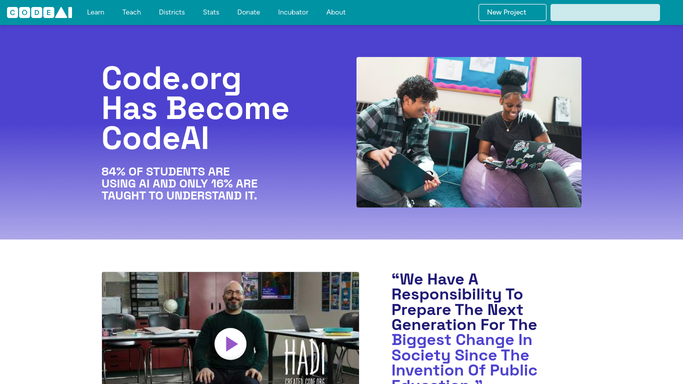
WebRun opens Code.org to check student progress. - Open your section and review each student's course progress
- Note lessons completed, current unit, and any stuck-on-a-puzzle flags
- Compare against last week's progress for movement
Done when Every student's weekly progress is captured.
-
2
Google Drive - archive the progress report
drive.google.com How to Automate Google Drive

WebRun opens Google Drive to archive the progress report. - Save this week's progress report as a dated file
- File it with your class records folder
- Keep prior weeks for a progress trend
Done when This week's progress report is archived in Google Drive.
-
3
Slack - post the class digest
slack.com How to Automate Slack

WebRun opens Slack to post the class digest. - Post a class digest to your teaching-team channel
- Call out students who haven't moved units in 2 weeks
- Highlight this week's biggest jumps in progress
Done when Your teaching team has this week's class digest in Slack.
How is each run configured?
Secure by default
Connect once, stays signed in
WebRun signs in once and keeps each session in a persistent environment, so every run picks up right where it left off.
Every action is checked against this policy before it runs.
Questions, answered
Does it contact students or parents directly?
No. The digest only goes to your teaching-team Slack channel. WebRun never emails or messages a student or parent on its own.
Will it change any student progress or grades?
No. It only reads progress from Code.org and reports it. Nothing in a student's account is edited.
How does it flag students who are stuck?
It compares this week's unit and lesson position against last week's, so anyone with no movement for 2 weeks is called out automatically.
Related templates
Put this on autopilot.
Turn it on in minutes - or have our team set it up for you.