Digest your CocoSign signature status for you
Every morning, WebRun opens CocoSign, checks the status of every document still in progress, posts a signed versus pending digest to Telegram, and drafts a short Twilio SMS nudge for any signer who has been pending more than three days.
- No credit card
- Under $0.01 per run
- Cancel anytime
How do I track which CocoSign documents are still waiting on a signature?
WebRun checks every open CocoSign document each morning, posts a signed versus pending digest to Telegram, and drafts a Twilio SMS nudge for any signer pending more than three days. Teams see exactly where every document stands and have a ready, approved nudge waiting instead of chasing signers by memory.
- Every document's status is visible each morning without opening CocoSign
- Slow signers get flagged after 3 days instead of going unnoticed
- A nudge is drafted and ready the moment it's needed
Built for Small business owners · HR teams · sales operations · legal and admin staff
What does WebRun do on every run?
The exact actions WebRun takes, in order - in plain language, so you can adjust anything.
-
WebRun signs in and gets to work
Opens
cocosign.comin a real browser with your saved login - no setup, no API keys. -
1
CocoSign - check document status
cocosign.com
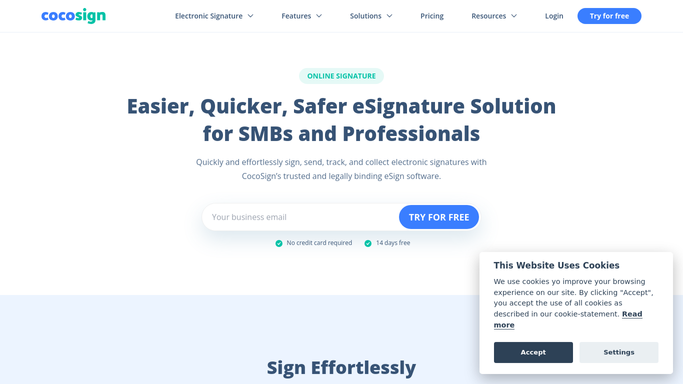
WebRun opens CocoSign to check document status. - Open CocoSign and list every document still in progress
- Note which are signed, viewed but not signed, or not yet opened
- Flag anyone pending more than 3 days
Done when Every in progress document has a captured status and days pending.
-
2
Telegram - post the status digest
telegram.org How to Automate Telegram

WebRun opens Telegram to post the status digest. - Post today's counts of signed, viewed, and not yet opened documents
- List the signers pending more than 3 days by name
- Keep the digest to one short message
Done when The team has today's signature digest in Telegram.
-
3
Twilio - draft the signer nudge
twilio.com How to Automate Twilio

WebRun opens Twilio to draft the signer nudge. - Draft a short SMS nudge for each signer pending more than 3 days
- Reference the document name so the nudge is specific
- Leave every draft queued, unsent, for a teammate to approve
Done when A drafted nudge is ready for each slow signer.
How is each run configured?
Secure by default
Connect once, stays signed in
WebRun signs in once and keeps each session in a persistent environment, so every run picks up right where it left off.
Every action is checked against this policy before it runs.
Questions, answered
Will it text signers without anyone approving it?
No. WebRun only drafts the SMS nudge in Twilio and leaves it queued. A teammate reviews and sends it, so no signer gets a text nobody approved.
How does it decide who is pending too long?
It flags any signer who has not completed a document three days after it was sent, so the digest highlights the ones actually worth chasing.
Does the digest include documents that are already fully signed?
It counts them so the team sees the full picture, but the nudge list only ever includes documents still waiting on a signature.
Related templates
Put this on autopilot.
Turn it on in minutes - or have our team set it up for you.