End the day with every call tagged and noted
Every night, WebRun opens CloudTalk, reads the day's answered calls in the call log, finds the ones carrying no tag or no note, groups the gaps by agent, writes them into Notion, and emails the team lead a short list before the next morning.
- No credit card
- Under $0.01 per run
- Cancel anytime
How do I make sure every call gets tagged and noted?
WebRun reviews your CloudTalk call log every night, finding today's answered calls that carry no tag or no note and grouping them by agent. It records the gaps in Notion and emails your team lead the list, so the call history stays searchable for whoever picks up the account next.
- Call history stays searchable, so the next person has context
- Agents fix their gaps the next morning, not at quarter end
- The lead sees a pattern across the week, not one bad afternoon
Built for contact centre leads · sales managers · support team leads · customer success
What does WebRun do on every run?
The exact actions WebRun takes, in order - in plain language, so you can adjust anything.
-
WebRun signs in and gets to work
Opens
my.cloudtalk.ioin a real browser with your saved login - no setup, no API keys. -
1
CloudTalk - find calls missing tags or notes
cloudtalk.io
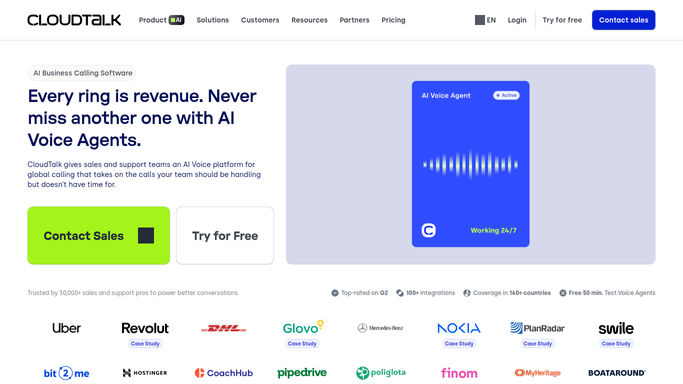
WebRun opens CloudTalk to find calls missing tags or notes. - Open CloudTalk and filter the call log to today's answered calls
- Read the tag and the note on each call
- Keep the calls that carry no tag, no note, or neither
- Record the agent, the contact, the call time, and the call length on each gap
- Skip calls shorter than the threshold you set, so a ten second wrong number is not chased
Done when Every answered call today has been checked and the ones missing a tag or note are listed per agent.
-
2
Notion - record the gaps per agent
notion.so How to Automate Notion

WebRun opens Notion to record the gaps per agent. - Open your call quality database in Notion and add a row per call missing its tag or note
- Group the rows by agent, with a count and the total call time behind each gap
- Keep a rolling week so a pattern is visible rather than one bad afternoon
- Mark a row complete on a later run once the tag or note has been added in CloudTalk
Done when Notion holds tonight's gaps grouped by agent, with the rolling week alongside.
-
3
Gmail - email the team lead
gmail.com How to Automate Gmail

WebRun opens Gmail to email the team lead. - Draft an email to the team lead listing tonight's gaps by agent
- Lead with the agent carrying the most untagged calls and show their week to date
- Name the specific calls so the agent can fix them first thing
- Send it to the team lead only. WebRun never emails an agent's customer or contact
Done when The team lead has tonight's per-agent gap list in their inbox.
How is each run configured?
Secure by default
Connect once, stays signed in
WebRun signs in once and keeps each session in a persistent environment, so every run picks up right where it left off.
Every action is checked against this policy before it runs.
Questions, answered
Will it write the notes itself?
No. WebRun reports which calls are missing a tag or a note. The agent who took the call writes it, so the record stays accurate rather than filled in by guesswork.
Does it contact customers?
No. The only email goes to your team lead, and the Notion database is internal. WebRun never messages the person on the other end of a call.
Can I ignore very short calls?
Yes. Set a minimum call length and anything below it is skipped, so wrong numbers and instant hang-ups do not turn up on an agent's list.
Related templates
Put this on autopilot.
Turn it on in minutes - or have our team set it up for you.