Get a new starter onto the right learning path
Every morning, WebRun opens Google Cloud Skills Boost, checks each new starter's enrolled learning path, courses and first hands-on lab, confirms they have enough learning credits to run it, drafts a welcome email in Gmail for you to send, and posts the team lead a short Slack list of who is ready and who is stuck.
- No credit card
- Under $0.01 per run
- Cancel anytime
How do I get a new team member set up on the right cloud learning path?
WebRun opens Google Cloud Skills Boost every morning, checks each new starter's learning path, first hands-on lab and learning credits, then drafts their welcome email in Gmail and posts the team lead a Slack list of who is ready and who is blocked, so training weeks never open on an empty account.
- Every new starter has a confirmed path and a startable lab on day one
- Low learning credits are caught before the first lab, not during it
- The welcome email is written and waiting instead of forgotten
Built for team leads · cloud engineering teams · L&D managers · IT training coordinators
What does WebRun do on every run?
The exact actions WebRun takes, in order - in plain language, so you can adjust anything.
-
WebRun signs in and gets to work
Opens
www.cloudskillsboost.googlein a real browser with your saved login - no setup, no API keys. -
1
Google Cloud Skills Boost - check path, labs and credits
cloudskillsboost.google
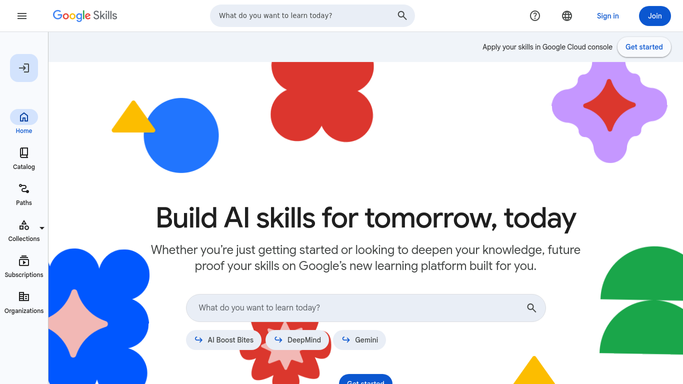
WebRun opens Google Cloud Skills Boost to check the path, labs and credits. - Open Google Cloud Skills Boost and find each new starter on your roster
- Confirm they are enrolled in the learning path you assigned and note the courses inside it
- Check the first hands-on lab is available to start and that the account holds enough learning credits to run it
- Note any skill badges already earned so a starter is not re-enrolled in work they finished
Done when Every new starter has a checked path, a startable first lab, and a credit balance noted.
-
2
Gmail - draft the welcome email
gmail.com How to Automate Gmail

WebRun opens Gmail to draft the welcome email. - Draft a short welcome email to each starter naming their learning path and the first lab to run
- Include the courses in the path and the credits sitting on the account
- Leave every email as a draft in Gmail for you to read and send. WebRun never sends it on its own
Done when A welcome draft is waiting in Gmail for each new starter.
-
3
Slack - report who is ready
slack.com How to Automate Slack

WebRun opens Slack to report who is ready. - Post the team lead a short list of new starters and their setup status
- Put anyone blocked first: no path enrolled, a lab that will not start, or credits too low to run it
- Name the learning path and first lab beside each ready starter
Done when The team lead has today's ready and blocked list in Slack.
How is each run configured?
Secure by default
Connect once, stays signed in
WebRun signs in once and keeps each session in a persistent environment, so every run picks up right where it left off.
Every action is checked against this policy before it runs.
Questions, answered
Will it email the new starter without me?
No. WebRun leaves every welcome email as a Gmail draft for you to read and send. Only the internal status list is posted to Slack on its own.
What counts as a blocked starter?
Three things: no learning path enrolled, a first hands-on lab that will not start, or a learning credit balance too low to run that lab. Each one is listed at the top of the Slack post.
Does it re-enrol someone who already trained?
No. WebRun reads the skill badges already on the account each morning and notes them, so a starter is not pointed at work they have already completed.
Related templates
Put this on autopilot.
Turn it on in minutes - or have our team set it up for you.