Clear the app requests teachers are waiting on
Every morning, WebRun opens Clever, finds the app requests from teachers that are still pending district approval, records who asked, which school they are at and how many days it has been in Google Sheets, and pings the technology admin on Telegram.
- No credit card
- Under $0.01 per run
- Cancel anytime
How do I keep on top of pending Clever app requests?
Every morning WebRun opens Clever, finds the app requests from teachers still waiting on district approval, and records who asked, from which school, and how many days ago. It logs the queue in Google Sheets and pings the technology admin on Telegram, so teachers get an answer in days rather than a term.
- Teachers get a yes or no in days instead of waiting a term
- Requests several schools made surface as one decision
- No app is ever approved without a human reviewing the data access
Built for district technology admins · school IT teams · curriculum leads · edtech coordinators
What does WebRun do on every run?
The exact actions WebRun takes, in order - in plain language, so you can adjust anything.
-
WebRun signs in and gets to work
Opens
clever.comin a real browser with your saved login - no setup, no API keys. -
1
Clever - find pending app requests
clever.com
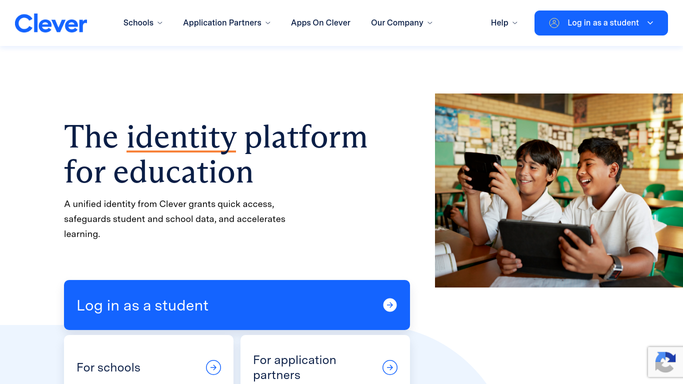
WebRun opens Clever to find pending app requests. - Open Clever and go to the app requests awaiting district approval
- Capture the app, the requesting teacher, the school, and the request date
- Work out how many days each request has been sitting unanswered
- Note whether the same app is already approved for another school
- Check the library for an approved app that covers the same need
Done when Every pending app request is listed with its requester, school, and age.
-
2
Google Sheets - log the queue with waiting time
google.com How to Automate Google Sheets

WebRun opens Google Sheets to log the queue with waiting time. - Add a row per pending request with the app, teacher, school, and days waiting
- Group repeat requests for the same app so demand across schools is visible
- Mark requests already approved elsewhere in the district as quick decisions
- Close rows once the request is approved or declined in Clever
Done when The approval queue in Google Sheets matches what is pending in Clever.
-
3
Telegram - ping the admin to decide
telegram.org How to Automate Telegram

WebRun opens Telegram to ping the admin to decide. - Send the technology admin the count pending and the oldest few requests
- Name the apps requested by more than one school first
- Link the sheet so the full queue is one tap away
- Never approve or decline a request. WebRun only surfaces the queue
Done when The admin has today's queue on Telegram with no request decided for them.
How is each run configured?
Secure by default
Connect once, stays signed in
WebRun signs in once and keeps each session in a persistent environment, so every run picks up right where it left off.
Every action is checked against this policy before it runs.
Questions, answered
Will it approve apps on its own?
No. Approving an app grants access to student data, so WebRun never decides. It lists what is pending with the context, and a district administrator approves or declines in Clever.
Does it message the teachers who asked?
No. The only message it sends is an internal Telegram ping to the technology admin. Replying to a teacher stays with your team.
How does it help prioritise?
It sorts by days waiting and groups repeat requests, so an app three schools asked for and a request sitting three weeks both rise to the top of the queue.
Related templates
Put this on autopilot.
Turn it on in minutes - or have our team set it up for you.