Spot unusual card charges the day they post
Every morning, WebRun signs in to Citi Online, reads the transactions that posted yesterday, writes each one into an Airtable ledger, compares every charge against your usual merchants and amounts, and alerts you on Telegram about anything unusually large, duplicated, or from a merchant you have never used.
- No credit card
- Under $0.01 per run
- Cancel anytime
How do I get alerted about unusual charges on my Citi card?
WebRun signs in to Citi Online each morning, reads the transactions posted since the last run, and writes each into an Airtable ledger. It compares every charge against your usual merchants and thresholds, then alerts you on Telegram about large amounts, duplicates, and first-time merchants.
- Suspicious charges surface the day after they post
- Every transaction lands in your own searchable ledger
- Citi access stays read-only, so no money can move
Built for small business owners · finance teams · bookkeepers · personal finance trackers
What does WebRun do on every run?
The exact actions WebRun takes, in order - in plain language, so you can adjust anything.
-
WebRun signs in and gets to work
Opens
online.citi.comin a real browser with your saved login - no setup, no API keys. -
1
Citi - read yesterday's posted transactions
citi.com
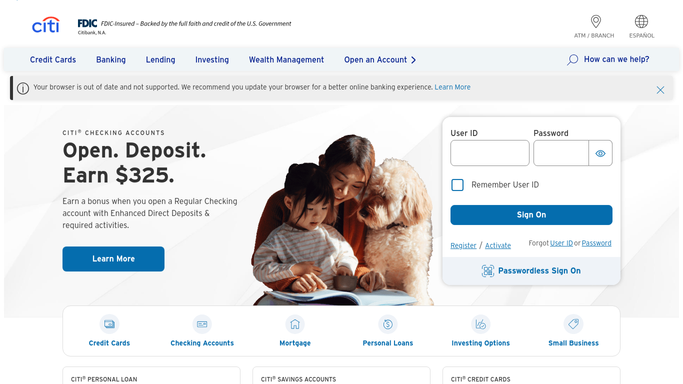
WebRun opens Citi to read yesterday's posted transactions. - Sign in to Citi Online and open the account activity view
- Capture every transaction posted since the last run with date, merchant, amount, and card ending
- Note the current balance and available credit for context
Done when Every transaction posted since the last run has been captured with its merchant and amount.
-
2
Airtable - log every charge
airtable.com How to Automate Airtable

WebRun opens Airtable to log every charge. - Open your card ledger base and append one row per new transaction
- Match each merchant against previous rows and mark first-time merchants
- Flag charges above your review threshold and any pair that looks like a duplicate
Done when Yesterday's transactions are logged with duplicates and new merchants marked.
-
3
Telegram - alert you on anything unusual
telegram.org How to Automate Telegram

WebRun opens Telegram to alert you on anything unusual. - Alert you with the flagged charges only: large amounts, duplicates, and first-time merchants
- Show merchant, amount, and card ending on each line so you can recognise it or not
- Add yesterday's total spend and the current balance as one closing line
Done when You have been alerted about every flagged charge, or told the day was clean.
How is each run configured?
Secure by default
Connect once, stays signed in
WebRun signs in once and keeps each session in a persistent environment, so every run picks up right where it left off.
Every action is checked against this policy before it runs.
Questions, answered
Can it move money or dispute a charge?
No. The run is read-only inside Citi Online. WebRun reads posted activity and reports it. Payments, transfers, disputes, and card locks all stay with you in your banking app.
What counts as an unusual charge?
Three things: an amount above the review threshold you set, a merchant that has never appeared in your ledger before, and two similar charges on the same day that look like a duplicate.
Does it alert me every single day?
Only when something is flagged. On a clean day it logs the transactions in Airtable and sends one short line confirming nothing needed your attention.
Related templates
Put this on autopilot.
Turn it on in minutes - or have our team set it up for you.