Move video lead form submissions to the sales list every day
Every morning, WebRun opens Cincopa, collects the lead capture form submissions from the last day, matches each viewer to the video asset and gallery they came from and how much of it they watched, adds the contacts to your Airtable sales list, and posts the warmest ones to the Notion sales page.
- No credit card
- Under $0.01 per run
- Cancel anytime
How do I get video lead form submissions into my sales list every day?
WebRun opens Cincopa every morning and collects the lead capture form submissions from your videos, along with the asset each viewer came from and how much of it they watched. It adds the contacts to your Airtable list and posts the warmest ones to Notion, so sales calls the most engaged first.
- Sales gets named viewers with watch time every morning
- The most engaged viewer is called first, not the newest
- Every submission lands in Airtable without a manual export
Built for B2B marketers · demand generation teams · video marketers · sales development teams
What does WebRun do on every run?
The exact actions WebRun takes, in order - in plain language, so you can adjust anything.
-
WebRun signs in and gets to work
Opens
www.cincopa.comin a real browser with your saved login - no setup, no API keys. -
1
Cincopa - collect yesterday's lead submissions
cincopa.com
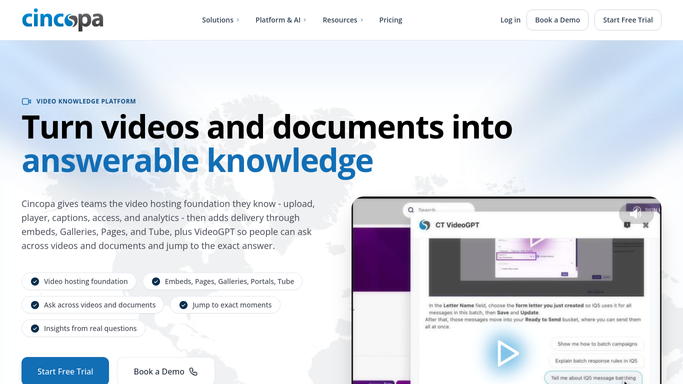
WebRun opens Cincopa to collect yesterday's lead submissions. - Open Cincopa and list the lead capture form submissions received since the last run
- For each submission capture the name, the email, the video asset and gallery it came from, and the date
- Read the engagement figures for that viewer and record how much of the video they watched
Done when Every new submission has a contact, a source video, and a watch percentage.
-
2
Airtable - add contacts with watch time
airtable.com How to Automate Airtable

WebRun opens Airtable to add contacts with watch time. - Open your leads base in Airtable and add a row per new submission
- Fill in the name, email, source video, gallery, watch percentage, and the date captured
- Skip any email already in the base and instead update its latest watch time, so nobody is duplicated
Done when Every new video lead is in Airtable with its source video and watch time, with no duplicates.
-
3
Notion - hand sales the warmest leads
notion.so How to Automate Notion

WebRun opens Notion to hand sales the warmest leads. - Post a short daily list to the sales page in Notion, sorted by watch percentage with the most engaged first
- Show the name, the video they watched, how far through they got, and the day they submitted
- Note which videos produced the most leads. WebRun does not email or call any lead
Done when Sales has today's ranked video lead list in Notion.
How is each run configured?
Secure by default
Connect once, stays signed in
WebRun signs in once and keeps each session in a persistent environment, so every run picks up right where it left off.
Every action is checked against this policy before it runs.
Questions, answered
Will it email the leads it collects?
No. WebRun moves the submissions into your own Airtable base and posts a ranked list in Notion. Every call and email to a lead is made by your sales team, not by WebRun.
How does it rank which lead is warmest?
It sorts by how much of the video each viewer watched, so someone who watched most of a demo sits above someone who submitted the form after ten seconds.
What stops the same person being added twice?
It checks each email against the Airtable base before adding a row. An existing contact is updated with the newer watch time instead of being duplicated.
Related templates
Put this on autopilot.
Turn it on in minutes - or have our team set it up for you.