Reconcile CCAvenue transactions every night
Every night, WebRun opens the CCAvenue merchant dashboard, matches today's successful transactions to orders by order ID, creates a Trello card for anything failed or unmatched, and posts the full reconciliation summary to Microsoft Teams.
- No credit card
- Under $0.01 per run
- Cancel anytime
How do I reconcile daily CCAvenue transactions against my orders?
WebRun exports today's CCAvenue transactions every night, matches successful payments to orders by order ID, and creates a Trello card for anything failed or unmatched. It then posts the full reconciliation summary, with matched, failed, and unmatched totals, to Microsoft Teams, so finance starts the next day already knowing what needs attention.
- Failed and unmatched transactions get a Trello card the same night
- Finance opens Teams to totals instead of a raw export
- Nothing needs a manual CCAvenue login to check status
Built for Indian ecommerce merchants · finance teams · payment operations
What does WebRun do on every run?
The exact actions WebRun takes, in order - in plain language, so you can adjust anything.
-
WebRun signs in and gets to work
Opens
www.ccavenue.comin a real browser with your saved login - no setup, no API keys. -
1
CCAvenue - pull today's gateway transactions
ccavenue.com
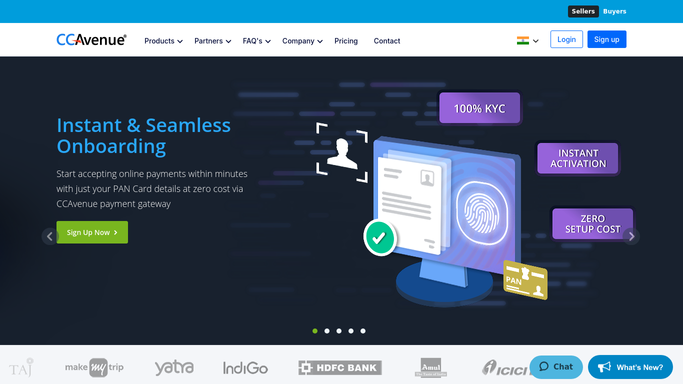
WebRun opens CCAvenue to pull today's gateway transactions. - Open the CCAvenue merchant dashboard and export today's successful and failed transactions
- Match successful transactions to orders by order ID
- List any transaction that failed or has no matching order
Done when Every transaction today is marked matched, failed, or unmatched.
-
2
Trello - log unmatched transactions
trello.com How to Automate Trello

WebRun logs unmatched transactions to Trello. - Create a card on the Payments Review board for each unmatched or failed transaction
- Add the transaction ID, amount, and reason
Done when Every unmatched or failed transaction has a Trello card.
-
3
Microsoft Teams - report the reconciliation summary
microsoft.com How to Automate Microsoft Teams

WebRun reports the reconciliation summary in Microsoft Teams. - Post the reconciliation summary with totals to the finance Teams channel
- Link to the Trello board for anything flagged
Done when Finance has today's CCAvenue reconciliation in Teams.
How is each run configured?
Secure by default
Connect once, stays signed in
WebRun signs in once and keeps each session in a persistent environment, so every run picks up right where it left off.
Every action is checked against this policy before it runs.
Questions, answered
What happens to a failed transaction?
It gets its own Trello card with the transaction ID, amount, and failure reason, so someone can look into it without re-running the CCAvenue export.
Will WebRun refund a failed payment or request settlement?
No. WebRun only reconciles and reports on transactions it finds in CCAvenue. It never issues a refund, requests settlement, or moves money on its own.
Can I trust the totals in the Teams summary?
They come straight from the day's CCAvenue export, split into matched, failed, and unmatched, so the totals reflect exactly what the gateway recorded that day.
Related templates
Put this on autopilot.
Turn it on in minutes - or have our team set it up for you.