Automatic Cash App Unpaid Request Chasing
Every morning, WebRun opens Cash App, reads your activity for requests that were sent but never paid, works out how old each one is, posts a chase list to Telegram with a drafted nudge, and opens a Trello card for any request past your cold threshold.
How do I track Cash App payment requests that were never paid?
WebRun chases your unpaid Cash App requests every morning. It reads your activity history, finds requests that were sent but never paid, ages each one in days, and posts a chase list to Telegram with a drafted nudge and a running total. Cold requests get a Trello card, so small unpaid amounts stop being forgotten.
- Every unpaid request is aged and totalled daily
- Cold requests become a card instead of a memory
- The nudge is drafted, so chasing takes a minute
Built for freelancers · small business owners · tutors and coaches · market traders
What does WebRun do on every run?
The exact actions WebRun takes, in order - in plain language, so you can adjust anything.
-
WebRun signs in and gets to work
Opens
cash.appin a real browser with your saved login - no setup, no API keys. -
1
Cash App - find unpaid payment requests
cash.app
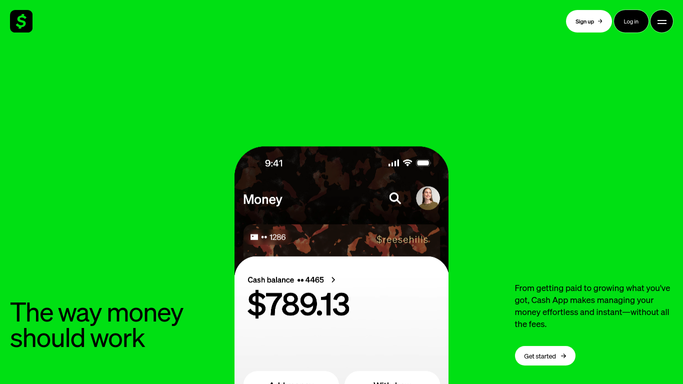
WebRun opens Cash App to find unpaid payment requests. - Open Cash App and read the activity history
- Find payment requests you sent that still show as unpaid
- Capture the person, the amount, the note, and the date the request went out
- Work out the age of each request in days and skip anything already paid or cancelled
Done when Every outstanding request is listed with its amount and age.
-
2
Telegram - post the chase list
telegram.org

WebRun opens Telegram to post the chase list. - Post today's chase list to your Telegram channel, oldest request first
- Show the amount, the person, the note, and how many days it has been outstanding
- Include a short drafted nudge you can copy and send yourself
- Total the outstanding amount so the size of the problem is visible
Done when Today's chase list is posted in Telegram with a total.
-
3
Trello - open a card for cold requests
trello.com

WebRun opens Trello to open a card for cold requests. - Open a Trello card for any request older than the cold threshold you set
- Put the amount, the person, and the request date on the card
- Move a card to Done when the request is paid on the next run
- Never re-send a request or message a customer from Cash App
Done when Every cold request has a Trello card to work.
How is each run configured?
Secure by default
Connect once, stays signed in
WebRun signs in once and keeps each session in a persistent environment, so every run picks up right where it left off.
Every action is checked against this policy before it runs.
Questions, answered
Will it message customers or re-send requests?
No. WebRun never sends a message, re-sends a request, or moves money. It writes a drafted nudge into your internal Telegram list and you choose whether to send it.
How does it know a request was paid?
It reads your live Cash App activity every morning, so anything paid or cancelled since the last run drops off the chase list and its Trello card is closed.
Can I ignore small amounts?
Yes. Set a minimum amount and an age threshold. Requests below the amount stay off the list, and only requests past the age threshold get a Trello card.
Related templates
Put this on autopilot.
Turn it on in minutes - or have our team set it up for you.