Get a daily Cachefly traffic and cache digest
Every morning, WebRun opens the Cachefly dashboard, reads yesterday's bandwidth delivered, cache hit ratio, and the top requested assets across your CDN configurations, posts a compact digest to Slack, and sends a Telegram alert if the cache hit ratio has dropped sharply from its normal range.
- No credit card
- Under $0.01 per run
- Cancel anytime
How do I monitor my Cachefly CDN traffic and cache performance daily?
Every morning, WebRun reads yesterday's bandwidth delivered, cache hit ratio, and top requested assets from Cachefly. It posts a compact digest to Slack and sends a separate Telegram alert if the cache hit ratio has dropped sharply from its normal range, so a caching problem gets flagged the same day it happens.
- A cache ratio drop gets flagged the same day, not after complaints roll in
- The top assets by traffic are visible without pulling a manual report
- The Slack digest takes seconds to read every morning
Built for site reliability engineers · media and streaming companies · web performance teams · Cachefly customers
What does WebRun do on every run?
The exact actions WebRun takes, in order - in plain language, so you can adjust anything.
-
WebRun signs in and gets to work
Opens
www.cachefly.comin a real browser with your saved login - no setup, no API keys. -
1
Cachefly - read bandwidth and cache hit ratio
cachefly.com
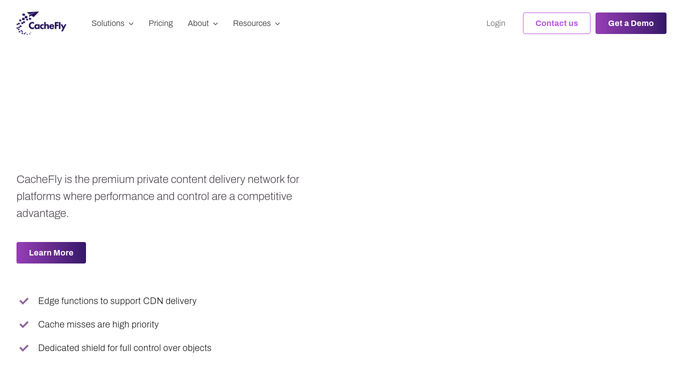
WebRun opens Cachefly to read bandwidth and cache hit ratio. - Open the Cachefly dashboard and read yesterday's total bandwidth delivered
- Read the overall cache hit ratio and the top requested assets
- Compare the cache hit ratio against its normal range for this configuration
Done when Yesterday's bandwidth, cache hit ratio, and top assets are captured.
-
2
Slack - post the daily traffic digest
slack.com How to Automate Slack

WebRun opens Slack to post the daily traffic digest. - Post a digest to Slack with total bandwidth, cache hit ratio, and the top 5 assets by traffic
- Keep the message compact enough to scan in seconds
- Note the day over day change in bandwidth
Done when Slack has today's traffic digest.
-
3
Telegram - alert Telegram on a cache ratio drop
telegram.org How to Automate Telegram

WebRun opens Telegram to alert Telegram on a cache ratio drop. - Send a Telegram alert if the cache hit ratio has dropped meaningfully below its normal range
- Name the current ratio and how far it has fallen
- Stay quiet when the ratio is within its normal range
Done when A Telegram alert has gone out only if the cache ratio genuinely dropped.
How is each run configured?
Secure by default
Connect once, stays signed in
WebRun signs in once and keeps each session in a persistent environment, so every run picks up right where it left off.
Every action is checked against this policy before it runs.
Questions, answered
Does it purge cache or change CDN settings?
No. WebRun only reads delivery metrics and reports them. Purging cache or changing a CDN configuration always stays your decision.
Why would the cache hit ratio drop?
Common causes include a configuration change, a spike in unique content requests, or an origin issue, but WebRun reports the drop rather than diagnosing the cause.
What counts as the top assets?
The files with the most requests in the prior day, which is useful for spotting an unexpected traffic spike on a specific asset.
Related templates
Put this on autopilot.
Turn it on in minutes - or have our team set it up for you.