Automated Businessolver Dependent Verification Tracking
Every Monday, WebRun opens Businessolver, checks how long each dependent verification has been pending, tracks it on a Trello card until it clears, and posts a Teams summary to HR of anyone past the verification deadline.
How do I track pending dependent verifications in Businessolver?
WebRun checks Businessolver every Monday for dependent verifications still pending, tracks each one on a Trello card until it clears, and posts a Teams summary to HR of anyone overdue. It never approves a dependent or contacts an employee directly. HR gets one weekly view of exactly what's still outstanding and for how long.
- HR sees pending verifications every week instead of at audit time
- Overdue dependents are flagged before they lapse coverage
- No approval or employee contact happens without a human
Built for Benefits administrators · HR operations · Total rewards teams · Payroll teams
What does WebRun do on every run?
The exact actions WebRun takes, in order - in plain language, so you can adjust anything.
-
WebRun signs in and gets to work
Opens
businessolver.comin a real browser with your saved login - no setup, no API keys. -
1
Businessolver - find pending dependent verifications
businessolver.com
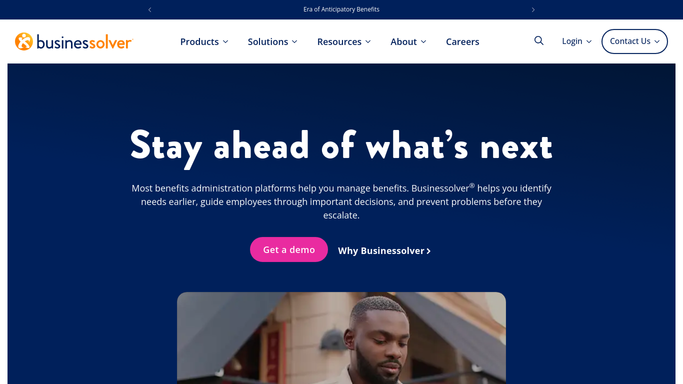
WebRun opens Businessolver to find pending dependent verifications. - Open Businessolver and list dependents awaiting verification
- Check how many days each has been pending
- Flag anyone past the verification deadline
Done when Every pending dependent verification has a status and days-pending count.
-
2
Trello - create a follow-up card per employee
trello.com

WebRun opens Trello to create a follow-up card per employee. - Create a follow-up card for each employee with a pending dependent
- List the missing document type as a checklist item
- Move the card to Done once Businessolver shows it verified
Done when Every pending verification has a Trello card tracking it.
-
3
Microsoft Teams - notify HR of who's still pending
microsoft.com

WebRun opens Microsoft Teams to notify HR of who's still pending. - Post a summary to HR of who's still pending and for how long
- Flag anyone past the deadline first
- Leave the employee outreach to HR
Done when HR has today's pending verification summary in Teams.
How is each run configured?
Secure by default
Connect once, stays signed in
WebRun signs in once and keeps each session in a persistent environment, so every run picks up right where it left off.
Every action is checked against this policy before it runs.
Questions, answered
Does it contact the employee for documents?
No. WebRun only tracks pending verifications internally and alerts HR. Requesting documents from an employee is left to HR.
Does it approve or deny a dependent?
No. It only reads verification status from Businessolver. Every approval decision is made by a human in Businessolver.
What counts as overdue?
Any dependent verification still pending after the deadline Businessolver has on file for that enrollment.
Related templates
Put this on autopilot.
Turn it on in minutes - or have our team set it up for you.