Automated Bullhorn Placement Pipeline Export
Every Friday, WebRun opens Bullhorn, pulls this week's submittals, interviews, and placements by recruiter, exports them to Google Sheets for commission tracking, and updates a Notion pipeline dashboard so the desk can see where deals stand.
How do I export Bullhorn placements for commission tracking?
WebRun exports your Bullhorn placement pipeline every Friday. It pulls submittals, interviews, and placements by recruiter, logs each placement's fee to Google Sheets for commission tracking, and updates a Notion dashboard, so the desk sees where every deal stands without pulling a manual Bullhorn report.
- Commission tracking gets a clean weekly export, not a manual pull
- The desk sees pipeline status in Notion without opening Bullhorn
- Placement fees are logged the same week the deal closes
Built for Staffing agencies · recruiting desk managers · agency finance teams
What does WebRun do on every run?
The exact actions WebRun takes, in order - in plain language, so you can adjust anything.
-
WebRun signs in and gets to work
Opens
bullhorn.comin a real browser with your saved login - no setup, no API keys. -
1
Bullhorn - pull placement activity
bullhorn.com
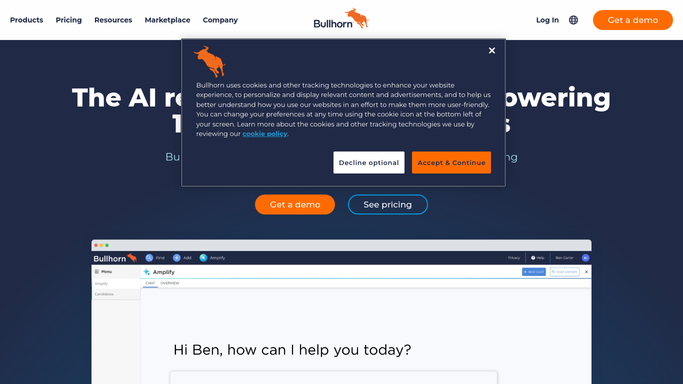
WebRun opens Bullhorn to pull placement activity. - Open Bullhorn and pull submittals, interviews, and placements from this week
- Capture the recruiter, client, and candidate for each
- Note the placement fee where a deal closed
Done when This week's placement activity is captured by recruiter.
-
2
Google Sheets - export for commission tracking
google.com

WebRun opens Google Sheets to export for commission tracking. - Add a row per placement to the commission tracker
- Keep prior weeks in the same sheet for payout reconciliation
Done when This week's placements are logged in the commission tracker.
-
3
Notion - update the pipeline dashboard
notion.so

WebRun opens Notion to update the pipeline dashboard. - Update the pipeline dashboard with submittal, interview, and placement counts
- Highlight which recruiter closed the most placements this week
Done when The Notion dashboard reflects this week's pipeline activity.
How is each run configured?
Secure by default
Connect once, stays signed in
WebRun signs in once and keeps each session in a persistent environment, so every run picks up right where it left off.
Every action is checked against this policy before it runs.
Questions, answered
Does WebRun calculate or pay out commission?
No. It only exports placement activity and fees. Calculating and paying commission always stays a manual step for finance.
Does it contact clients or candidates?
No. It only reads existing Bullhorn records. Outreach to a client or candidate always stays with the recruiter.
Can we see trends across the desk over time?
Yes. Google Sheets keeps every week's rows, and the Notion dashboard shows the current pipeline against prior weeks.
Related templates
Put this on autopilot.
Turn it on in minutes - or have our team set it up for you.