Start the day knowing which builds broke
Every morning, WebRun opens Buildkite, reviews every build that ran overnight, records which pipelines failed, which step failed and who triggered them, spots the jobs that failed then passed on a retry, drafts a short note to each owner in Gmail for you to send, and posts the digest to your engineering WhatsApp group.
- No credit card
- Under $0.01 per run
- Cancel anytime
How do I see which Buildkite builds failed overnight?
WebRun reviews every overnight Buildkite run each morning, recording which pipeline failed, which step failed, and who triggered it, and separating flaky retries from real breaks. It drafts a note to each owner in Gmail, left unsent, and posts the digest to your engineering WhatsApp group before standup.
- The team walks into standup knowing what is red
- Flaky jobs stop inflating the broken list
- Every break has a named owner and a build link
Built for engineering managers · DevOps teams · release engineers · platform teams
What does WebRun do on every run?
The exact actions WebRun takes, in order - in plain language, so you can adjust anything.
-
WebRun signs in and gets to work
Opens
buildkite.com/loginin a real browser with your saved login - no setup, no API keys. -
1
Buildkite - review overnight builds
buildkite.com
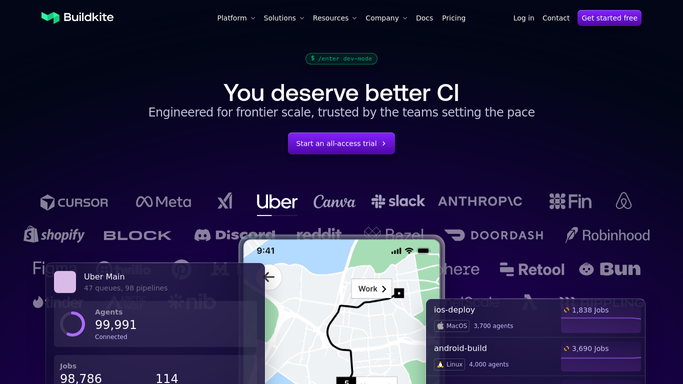
WebRun opens Buildkite to review overnight builds. - Open Buildkite and list every build that ran since the last working day ended
- Record the pipeline, the branch, the failing step, and the person who triggered it for each failure
- Mark jobs that failed and then passed on retry as flaky rather than broken
- Note how long the main pipeline has been red if a failure is still unresolved
Done when Every overnight build is classified as passed, broken, or flaky with an owner.
-
2
Gmail - draft a note to each owner
gmail.com How to Automate Gmail

WebRun opens Gmail to draft a note to each owner. - Draft one short email per owner listing their failing pipeline and the failing step
- Include the build link so the owner lands on the log in one click
- Leave every email unsent as a Gmail draft for a person to review and send
- Never email an owner automatically. A human always presses send
Done when A draft email sits in Gmail for each owner with a broken build, unsent.
-
3
WhatsApp - post the morning digest
whatsapp.com How to Automate WhatsApp

WebRun opens WhatsApp to post the morning digest. - Post the digest to your engineering WhatsApp group
- Lead with whether the main branch is green or red right now
- List broken pipelines first, then flaky ones, each with the failing step and the owner
- Keep it to one screen so it can be read before standup
Done when The engineering group knows what broke overnight before standup.
How is each run configured?
Secure by default
Connect once, stays signed in
WebRun signs in once and keeps each session in a persistent environment, so every run picks up right where it left off.
Every action is checked against this policy before it runs.
Questions, answered
Will it retry or cancel builds?
No. WebRun only reads build results in Buildkite. It never retries a job, cancels a run, unblocks a step, or triggers a deploy. Every action on a pipeline stays with your engineers.
Does it email people without me?
No. Owner notes are left as unsent Gmail drafts for a person to read and send. Only the internal WhatsApp digest posts on its own, and that stays inside your team group.
How does it tell a flaky job from a real break?
It checks whether the same job passed on a retry of the same build. Jobs that failed then passed are listed separately as flaky, so the broken list stays short and honest.
Related templates
Put this on autopilot.
Turn it on in minutes - or have our team set it up for you.