Sort last night's test failures before standup
Every morning, WebRun opens the BrowserStack Automate dashboard, goes through the builds that ran overnight, records every failed session with the test name, browser, operating system, and the error shown, writes them into a Google Sheet that tracks how often each test fails, and sends the team a WhatsApp triage list separating repeat failures from new ones.
- No credit card
- Under $0.01 per run
- Cancel anytime
How do I triage overnight automated test failures before standup?
WebRun triages your overnight test failures every morning. It reviews the BrowserStack builds that ran, records each failed session with its browser and error, logs the failure history in Google Sheets, and sends the team a WhatsApp list split into new failures, repeat offenders, and tests that recovered.
- The team knows before standup which failures are new
- Flaky tests are counted instead of argued about
- No failed session is lost when the next build overwrites the dashboard
Built for QA engineers · test automation teams · engineering managers · software agencies
What does WebRun do on every run?
The exact actions WebRun takes, in order - in plain language, so you can adjust anything.
-
WebRun signs in and gets to work
Opens
www.browserstack.com/users/sign_inin a real browser with your saved login - no setup, no API keys. -
1
BrowserStack - review overnight builds and failures
browserstack.com
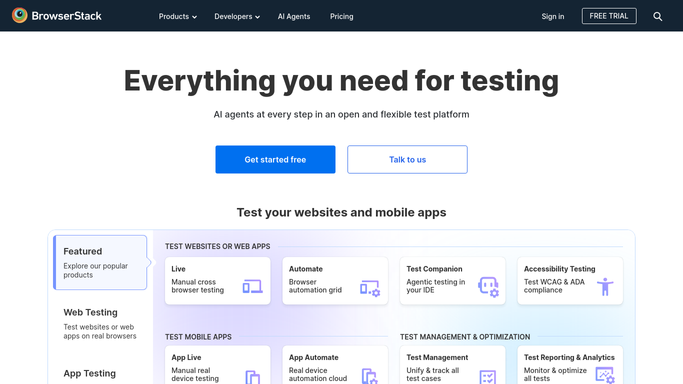
WebRun opens BrowserStack to review overnight builds and failures. - Sign in and open the Automate dashboard
- List the builds that ran since the last run and open each one that is not fully passing
- Record every failed session with its test name, browser, operating system, duration, and the error message shown
- Note whether the same test also failed in the previous build
Done when Every overnight failure is captured with its browser, error, and repeat status.
-
2
Google Sheets - log each failure and its history
google.com How to Automate Google Sheets

WebRun opens Google Sheets to log each failure and its history. - Open the test failure tracker sheet
- Add a dated row per failed session with the test, browser, operating system, and error
- Increment the fail count for tests that have failed before and record the streak
- Sort so the tests failing most often across the last two weeks sit at the top
Done when Every failure is logged and the repeat count is up to date.
-
3
WhatsApp - send the team the triage list
whatsapp.com How to Automate WhatsApp

WebRun opens WhatsApp to send the team the triage list. - Post the triage list to your engineering group
- Split it into new failures, repeat failures, and tests that recovered overnight
- Show the browser and error for each new failure so the first look is quick
- Keep it internal. WebRun never comments on a pull request or messages anyone outside the team
Done when The engineering group has this morning's triage list.
How is each run configured?
Secure by default
Connect once, stays signed in
WebRun signs in once and keeps each session in a persistent environment, so every run picks up right where it left off.
Every action is checked against this policy before it runs.
Questions, answered
Will it rerun tests or change my build?
No. WebRun reads the BrowserStack dashboard only. It never reruns a session, marks a build, deletes a session, or touches your test code or pipeline.
How does it tell a flaky test from a real failure?
By history. The Google Sheet counts how often each test has failed over the last two weeks, so a test that fails intermittently on the same browser is listed as a repeat rather than treated as a new break.
Does it post anything publicly?
No. The triage list goes only to your internal WhatsApp group. WebRun never comments on a pull request, an issue, or any public channel.
Related templates
Put this on autopilot.
Turn it on in minutes - or have our team set it up for you.