Wake up to yesterday's taproom sales in your pocket
Every morning, WebRun opens Ekos, pulls prior-day taproom sales data by product and category, logs the figures to your running Google Sheet, and posts a clean daily digest to Slack so your taproom manager and ownership see yesterday's numbers before the doors open.
- No credit card
- Under $0.01 per run
- Cancel anytime
What does WebRun do on every run?
The exact actions WebRun takes, in order - in plain language, so you can adjust anything.
-
WebRun signs in and gets to work
Opens
app.goekos.comin a real browser with your saved login - no setup, no API keys. -
1
Ekos - pull prior-day taproom sales data
goekos.com How to Automate Ekos

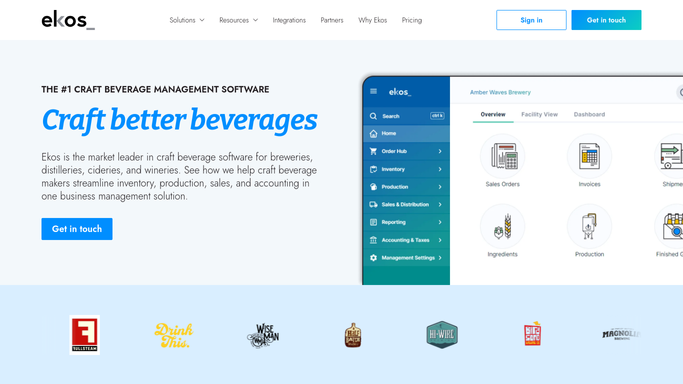
WebRun opens Ekos to pull prior-day taproom sales data. - Open Ekos and navigate to Sales reporting
- Filter to taproom channel for the prior calendar day
- Capture total revenue, number of transactions, and average transaction value
- Break down revenue by product category (draft, package, merchandise, food if applicable)
- Identify the top-selling SKU for the day
Done when Prior-day taproom sales are captured with totals and a category breakdown.
-
2
Google Sheets - log daily sales to running tracker
google.com How to Automate Google Sheets
WebRun opens Google Sheets to log daily sales to running tracker. - Open the taproom daily-sales Google Sheet
- Append a new row for yesterday with date, total revenue, transaction count, average transaction, and category breakdown
- Update any weekly or monthly running totals in summary tabs
Done when Yesterday's figures are logged to the tracker and running totals are refreshed.
-
3
Slack - post morning sales digest
slack.com How to Automate Slack
WebRun opens Slack to post morning sales digest. - Post the daily sales digest to your taproom or management Slack channel
- Include total revenue, transaction count, top-selling SKU, and category breakdown
- Add a link to the Google Sheet for full detail
Done when Your team has yesterday's taproom numbers in Slack before opening time.


How do I automatically get a daily taproom sales summary in Slack?
WebRun opens Ekos every morning, pulls the prior day's taproom sales by product and category, logs the figures to a running Google Sheet, and posts a clean digest to Slack with total revenue, transaction count, and top SKU, so your team starts each day knowing exactly how yesterday performed.
- Ownership sees yesterday's taproom revenue before the morning standup
- Sales data is logged to Google Sheets daily without any manual export
- Top-selling SKUs surface every morning for quick menu and stocking decisions
Built for craft breweries · taproom managers · brewery owners · operations managers
How is each run configured?
Secure by default
Connect once, stays signed in
WebRun signs in once and keeps each session in a persistent environment, so every run picks up right where it left off.
Every action is checked against this policy before it runs.
Questions, answered
Does it send the digest to customers or post it publicly?
No. The digest is posted only to your internal Slack channel. No sales data is shared externally.
Can it compare yesterday to the same day last week or last year?
Yes. You can configure the digest to include a week-over-week or year-over-year comparison using the historical data already logged in your Google Sheet.
What if Ekos shows no sales for the prior day?
It posts a digest noting zero revenue for the day, so your team gets a confirmation rather than silence and can check whether the POS data synced correctly.
Related templates
Put this on autopilot.
Turn it on in minutes - or have our team set it up for you.