Keep your QA and lab batch logs reviewed every week
Every Monday, WebRun opens Ekos, pulls QA and lab log entries for active and recently completed batches, identifies any readings outside your defined specification ranges, logs the full data set to a Google Sheet, and posts a digest to Slack so your head brewer and quality team can review trends and address out-of-spec batches before they reach packaging.
- No credit card
- Under $0.01 per run
- Cancel anytime
What does WebRun do on every run?
The exact actions WebRun takes, in order - in plain language, so you can adjust anything.
-
WebRun signs in and gets to work
Opens
app.goekos.comin a real browser with your saved login - no setup, no API keys. -
1
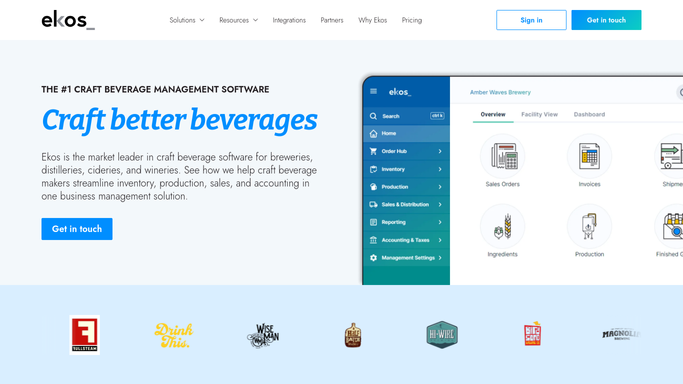
Ekos - pull QA and lab readings for active batches
goekos.com How to Automate Ekos

WebRun opens Ekos to pull QA and lab readings for active batches. - Open Ekos and navigate to batch records and QA or lab logs
- Pull all QA and lab entries logged in the prior week for active and recently completed batches
- For each entry, capture batch number, beer name, measurement type (gravity, pH, IBU, dissolved oxygen, etc.), recorded value, and specification range
- Identify any measurement that falls outside the specification range for that parameter
Done when All QA and lab readings from the prior week are captured, with out-of-spec entries flagged.
-
2
Google Sheets - log readings and flag out-of-spec batches
google.com How to Automate Google Sheets
WebRun opens Google Sheets to log readings and flag out-of-spec batches. - Open the QA batch log Google Sheet
- Append this week's lab readings to the historical log with batch number, date, parameter, value, and spec range
- Highlight out-of-spec rows in the sheet for easy visual review
- Update any batch-level summary tab showing QA pass/fail status
Done when This week's QA readings are logged and out-of-spec rows are highlighted in the sheet.
-
3
Slack - post weekly QA digest to quality team
slack.com How to Automate Slack
WebRun opens Slack to post weekly QA digest to quality team. - Post a weekly QA digest to your quality or production Slack channel
- List batches with out-of-spec readings first, with the parameter, value, and allowed range
- List batches where all readings are within spec as a confirmation
- Include a link to the Google Sheet for full lab log detail
Done when Quality team has this week's QA digest in Slack with out-of-spec batches prioritized.


How do I automatically review brewery QA and lab batch logs each week?
WebRun pulls QA and lab log data from Ekos every Monday, compares each reading against the specification range for that parameter, logs everything to a Google Sheet with out-of-spec rows highlighted, and posts a digest to Slack so your quality team can review flagged batches before they reach packaging.
- Out-of-spec batches are surfaced every Monday before they reach the packaging line
- Full QA history builds automatically in Google Sheets for recipe trend analysis
- Quality team reviews one digest instead of scanning individual batch records
Built for craft breweries · wineries · distilleries · head brewers · quality managers · lab technicians
How is each run configured?
Secure by default
Connect once, stays signed in
WebRun signs in once and keeps each session in a persistent environment, so every run picks up right where it left off.
Every action is checked against this policy before it runs.
Questions, answered
Will it hold or quarantine an out-of-spec batch automatically?
No. WebRun flags out-of-spec readings in the digest for your head brewer to evaluate. Any decision to hold, adjust, or release a batch is made by your quality team, not the automation.
Which QA parameters can it track?
It reads whatever lab measurements are logged in Ekos, including gravity, pH, IBU, dissolved oxygen, carbonation, color, and any custom parameters you have set up in your batch records.
Can it track QA trends over multiple batches of the same recipe?
Yes. The Google Sheet logs readings by batch and recipe over time, so your head brewer can spot drift or recurring out-of-spec patterns across batches of the same beer.
Related templates
Put this on autopilot.
Turn it on in minutes - or have our team set it up for you.