Follow up on event-space inquiries before they go cold
Every morning, WebRun opens Ekos or checks your inquiry inbox, finds new event-space and private-event booking requests that have not yet received a follow-up, drafts a personalized response for each with availability details and pricing, saves them to Gmail Drafts, and posts a Slack alert so your events team can review and send before leads go cold.
- No credit card
- Under $0.01 per run
- Cancel anytime
What does WebRun do on every run?
The exact actions WebRun takes, in order - in plain language, so you can adjust anything.
-
WebRun signs in and gets to work
Opens
app.goekos.comin a real browser with your saved login - no setup, no API keys. -
1
Ekos - find new event booking inquiries
goekos.com How to Automate Ekos

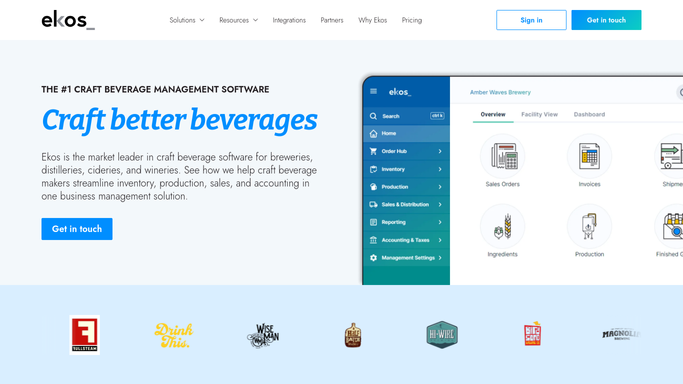
WebRun opens Ekos to find new event booking inquiries. - Open Ekos and check customer records or incoming inquiry notes for new event booking requests
- Identify inquiries received since the last run that have no follow-up recorded
- Capture the requester's name, email, requested date, event type, and estimated guest count
- Check the event calendar for availability on the requested date
Done when All new, unaddressed event inquiries are captured with contact details and availability status.
-
2
Gmail - draft personalized follow-up per inquiry
gmail.com How to Automate Gmail
WebRun opens Gmail to draft personalized follow-up per inquiry. - Draft one follow-up email per new inquiry using the requester's name and event details
- Include availability for the requested date or offer two to three alternative dates if unavailable
- Mention event space capacity, catering or food options, and package pricing if available
- Save each draft unsent in Gmail Drafts for team review
Done when One personalized follow-up draft per inquiry is saved in Gmail Drafts.
-
3
Slack - alert events team to review drafts
slack.com How to Automate Slack
WebRun opens Slack to alert events team to review drafts. - Post a Slack alert to your events or taproom channel listing new inquiries awaiting response
- Include requester name, requested date, event type, and a note on availability
- Prompt the team to open Gmail Drafts and review before sending
Done when Events team has a Slack prompt with each new inquiry listed and drafts ready for review.


How do I automatically follow up on brewery event space booking inquiries?
WebRun checks for new taproom and event-space booking inquiries every morning, drafts a personalized follow-up email per inquiry in Gmail with availability and pricing details, and posts a Slack alert so your events team can review and send before the lead goes cold. Nothing reaches an inquirer without human review.
- Every new event inquiry gets a draft follow-up the same morning it arrives
- Unavailable dates come with alternative options so conversations keep moving
- No event lead goes cold while sitting in an unchecked inbox
Built for craft breweries · wineries · taproom managers · events coordinators · private event hosts
How is each run configured?
Secure by default
Connect once, stays signed in
WebRun signs in once and keeps each session in a persistent environment, so every run picks up right where it left off.
Every action is checked against this policy before it runs.
Questions, answered
Will it reply to event inquiries automatically without my review?
No. Every follow-up is saved as a Gmail Draft. A Slack alert prompts your events team to review the draft before sending. No reply reaches an inquirer without a human reading it first.
What if the requested date is already booked?
When a requested date is unavailable, the draft offers two to three alternative dates based on the event calendar, so the reply still moves the conversation forward.
Can it handle inquiries that come in through a contact form rather than Ekos?
Yes. If your contact form routes inquiries to Gmail, WebRun can monitor that inbox label or folder alongside Ekos and include all new event inquiries in the same daily follow-up run.
Related templates
Put this on autopilot.
Turn it on in minutes - or have our team set it up for you.