Prep every new Book Like A Boss booking for you
Every time someone books through Book Like A Boss, WebRun reads the client's name, service, and time, copies your prep template into a new Google Drive folder for that client, and posts the details in Slack so the team can prepare before the session.
- No credit card
- Under $0.01 per run
- Cancel anytime
How do I automatically prepare a client folder for each new Book Like A Boss booking?
WebRun watches Book Like A Boss for new bookings, reads the client, service, and time, and copies your prep template into a fresh Google Drive folder for that client. It then posts the details in Slack so the team sees every new session and has the folder ready before it starts.
- Every session has a prep folder ready before the client shows up
- The team sees new bookings in Slack the moment they happen
- Intake answers land in the folder instead of getting lost
Built for Coaches · consultants · freelancers · solo service providers
What does WebRun do on every run?
The exact actions WebRun takes, in order - in plain language, so you can adjust anything.
-
WebRun signs in and gets to work
Opens
booklikeaboss.comin a real browser with your saved login - no setup, no API keys. -
1
Book Like A Boss - read the new booking
booklikeaboss.com
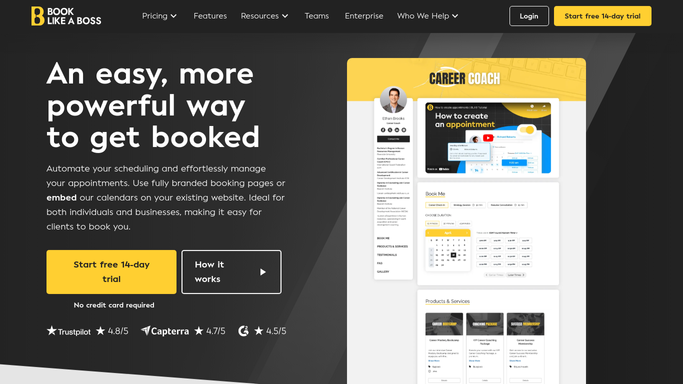
WebRun opens Book Like A Boss to read the new booking. - Open Book Like A Boss and find the newest booking
- Capture the client name, service booked, and appointment time
- Note any intake answers the client left when booking
Done when The new booking's details are captured in full.
-
2
Google Drive - create the client prep folder
drive.google.com How to Automate Google Drive

WebRun opens Google Drive to create the client prep folder. - Copy the client prep template into a new folder named for this client
- Fill in the service, time, and intake notes on the cover sheet
- Leave the folder ready for whoever is running the session
Done when A prep folder exists in Google Drive for the new booking.
-
3
Slack - alert the team
slack.com How to Automate Slack

WebRun opens Slack to alert the team. - Post the new booking's client, service, and time to the team channel
- Link the prep folder so it's one click away
- Flag same-day bookings so the team notices in time
Done when The team has a Slack heads up with the folder linked.
How is each run configured?
Secure by default
Connect once, stays signed in
WebRun signs in once and keeps each session in a persistent environment, so every run picks up right where it left off.
Every action is checked against this policy before it runs.
Questions, answered
Does it contact the client after they book?
No. WebRun only prepares your internal folder and alerts your team in Slack. It never emails or messages the client on its own.
What goes in the prep folder?
A copy of your own prep template with the client's name, service, appointment time, and any intake answers filled in, so it's ready before the session starts.
What if a booking gets rescheduled or cancelled?
WebRun only builds folders for new bookings. Handling a reschedule or cancellation inside Book Like A Boss stays a manual step for you.
Related templates
Put this on autopilot.
Turn it on in minutes - or have our team set it up for you.