Get your weekly Bookkeeper360 KPI scorecard
Every Monday, WebRun opens Bookkeeper360, pulls last week's key financial KPIs, revenue, expenses, and cash position, adds a calendar reminder for the next books review call, and drafts a WhatsApp message to the client summarizing the KPIs, left for the bookkeeper to send.
- No credit card
- Under $0.01 per run
- Cancel anytime
How do I send clients a weekly Bookkeeper360 KPI scorecard?
WebRun pulls your client's key Bookkeeper360 KPIs, revenue, expenses, and cash position, every Monday and drafts a WhatsApp summary highlighting the biggest week over week change, left for the bookkeeper to review and send. It also schedules a Google Calendar reminder for the next books review call.
- Clients get a weekly KPI summary drafted and ready every Monday
- Review calls get scheduled automatically instead of being forgotten
- Revenue, expenses, and cash position are tracked week over week without extra work
Built for Outsourced bookkeepers · small business owners · accounting firms · virtual CFOs
What does WebRun do on every run?
The exact actions WebRun takes, in order - in plain language, so you can adjust anything.
-
WebRun signs in and gets to work
Opens
bookkeeper360.comin a real browser with your saved login - no setup, no API keys. -
1
Bookkeeper360 - pull last week's KPIs
bookkeeper360.com
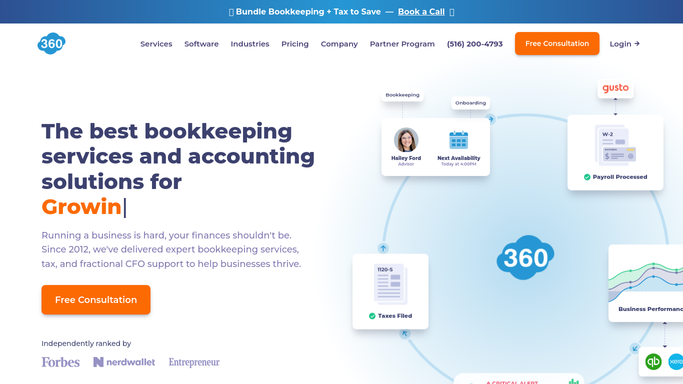
WebRun opens Bookkeeper360 to pull last week's KPIs. - Open Bookkeeper360 and pull last week's revenue and expense totals
- Read the current cash position
- Note the week over week change for each KPI
Done when Last week's key KPIs have been captured.
-
2
Google Calendar - schedule the next review call
calendar.google.com How to Automate Google Calendar

WebRun opens Google Calendar to schedule the next review call. - Add a calendar reminder for the next books review call
- Include the KPIs to cover in the event description
- Skip scheduling if a call is already on the calendar
Done when A review call reminder exists for the coming week.
-
3
WhatsApp - draft the client summary
whatsapp.com How to Automate WhatsApp

WebRun opens WhatsApp to draft the client summary. - Draft a WhatsApp message summarizing the week's KPIs for the client
- Highlight the biggest week over week change
- Leave it in WhatsApp for the bookkeeper to review and send
Done when A drafted KPI summary exists for the client every Monday.
How is each run configured?
Secure by default
Connect once, stays signed in
WebRun signs in once and keeps each session in a persistent environment, so every run picks up right where it left off.
Every action is checked against this policy before it runs.
Questions, answered
Will it message the client without the bookkeeper's review?
No. The KPI summary is drafted in WhatsApp and left for the bookkeeper to review and send, never sent automatically.
Does it change any bookkeeping entries?
No. WebRun only reads the KPIs Bookkeeper360 has already calculated. It never adjusts a transaction or category.
What if the client already has a call scheduled?
It checks the calendar first and skips adding a duplicate reminder if a review call already exists.
Related templates
Put this on autopilot.
Turn it on in minutes - or have our team set it up for you.