Automated Bitget Copy Trading Digest
Every morning, WebRun opens Bitget, reads the daily and week-to-date return for every trader you follow through copy trading, updates a running Trello card for the week with each trader's numbers, and sends a WhatsApp digest so you know at a glance who is performing and who is lagging.
How do I track daily performance of the traders I copy on Bitget?
WebRun reads the daily and week-to-date return of every trader you copy on Bitget each morning, updates a running Trello card for the week, and sends a WhatsApp digest with the worst performer listed first. It never starts, stops, or reallocates a copy trade, it only makes sure underperformance is visible the same day it happens.
- An underperforming trader gets surfaced the same day instead of weeks later
- A full week of copy trading performance builds in one running Trello card
- No manual login just to check how each followed trader is doing
Built for copy traders · Bitget users · social trading followers · crypto investors
What does WebRun do on every run?
The exact actions WebRun takes, in order - in plain language, so you can adjust anything.
-
WebRun signs in and gets to work
Opens
www.bitget.comin a real browser with your saved login - no setup, no API keys. -
1
Bitget - read copy trading performance
bitget.com
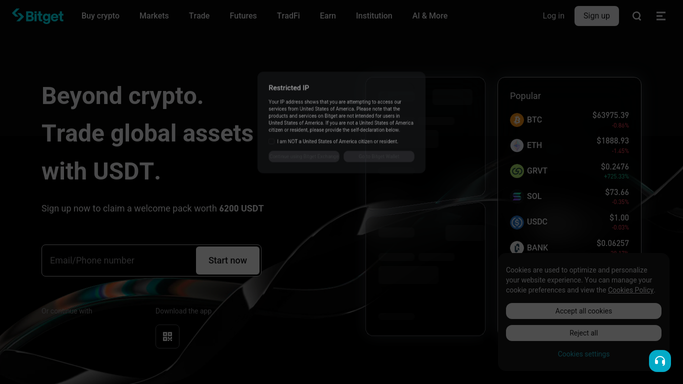
WebRun opens Bitget to read copy trading performance. - Open Bitget and read the daily return for each trader you copy
- Read the week-to-date return and your current allocation to each
- Note any trader whose week-to-date return turned negative today
Done when Every copied trader's daily and week-to-date return is captured.
-
2
Trello - update the weekly performance card
trello.com

WebRun opens Trello to update the weekly performance card. - Open this week's card on the Copy Trading board
- Update each trader's running week-to-date return in the card description
- Move the card to the Reviewed list on Friday after the week is logged
Done when The weekly card reflects every copied trader's return as of today.
-
3
WhatsApp - send the daily digest
whatsapp.com

WebRun uses WhatsApp to send the daily digest. - Send a digest listing each copied trader's daily and week-to-date return
- Put the worst performer at the top so it cannot be missed
- Keep the message to a few lines you can read in a glance
Done when Today's copy trading digest has been sent.
How is each run configured?
Secure by default
Connect once, stays signed in
WebRun signs in once and keeps each session in a persistent environment, so every run picks up right where it left off.
Every action is checked against this policy before it runs.
Questions, answered
Does WebRun start, stop, or reallocate my copy trading follows?
No. WebRun only reads the returns of traders you already follow and reports on them. It never starts or stops copying anyone, and it never changes your allocation or moves funds.
Why put the worst performer at the top of the digest?
So an underperforming trader cannot get buried under better news. Putting it first makes sure a real problem is the first thing you see, not the last.
Does the Trello card reset every week?
A new card starts each week and the prior week's card stays in the Reviewed list, so you can look back at how any given week actually went.
Related templates
Put this on autopilot.
Turn it on in minutes - or have our team set it up for you.