Make sure someone is on call for every hour
Every Monday, WebRun opens Better Stack, reads the on-call rotations and escalation policies for the coming week, finds the hours with nobody assigned or with a clash, opens a Trello card per gap for the team to fill, and messages you the uncovered hours on WhatsApp before the week begins.
- No credit card
- Under $0.01 per run
- Cancel anytime
How do I find gaps in next week's on-call schedule?
WebRun opens Better Stack every Monday and reads the on-call rotations for the coming seven days hour by hour. It finds uncovered hours, double-booked engineers, and escalation policies with nobody behind them, opens a Trello card per gap for the team lead, and messages you the summary on WhatsApp.
- A 3am alert always reaches someone who is awake and expecting it
- Holiday clashes surface before the week starts, not during an incident
- Every gap has an owned card instead of a note in someone's head
Built for engineering managers · SRE teams · DevOps leads · platform teams
What does WebRun do on every run?
The exact actions WebRun takes, in order - in plain language, so you can adjust anything.
-
WebRun signs in and gets to work
Opens
betterstack.com/users/sign-inin a real browser with your saved login - no setup, no API keys. -
1
Better Stack - read next week's rotations
betterstack.com
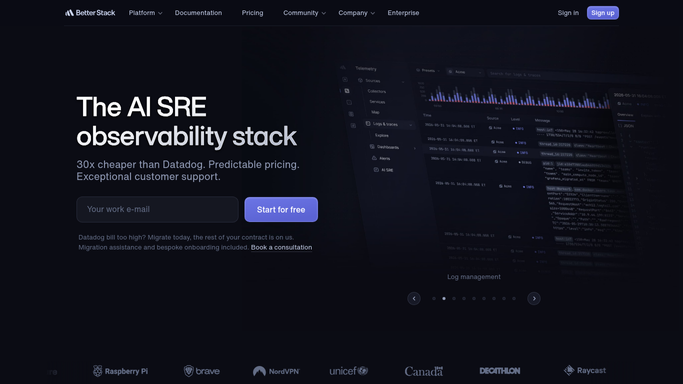
WebRun opens Better Stack to read next week's rotations. - Open Better Stack and go to the on-call schedules for each team
- Read the rotations covering the next seven days hour by hour
- Find hours with nobody assigned, and shifts where the same person is on two rotations at once
- Check the escalation policy behind each rotation still points at a real person
Done when Every uncovered hour and every clash in the coming week is identified by team.
-
2
Trello - raise a card per uncovered hour
trello.com How to Automate Trello

WebRun opens Trello to raise a card per uncovered hour. - Open the on-call board and create a card per uncovered block, titled with the team, day, and hours
- Add the rotation name and the escalation policy behind it to the description
- Assign the card to the team lead who owns that rotation
- Close cards for gaps that have since been filled
Done when Every gap has an owned Trello card and filled gaps are cleared.
-
3
WhatsApp - message you the gaps
whatsapp.com How to Automate WhatsApp

WebRun opens WhatsApp to message you the gaps. - Send yourself the week's coverage summary: total uncovered hours and which teams they fall on
- List the overnight and weekend gaps first, since those hurt most
- Flag any escalation policy with no reachable person behind it
- Stay quiet when the week is fully covered
Done when You know before the week starts whether every hour has a name against it.
How is each run configured?
Secure by default
Connect once, stays signed in
WebRun signs in once and keeps each session in a persistent environment, so every run picks up right where it left off.
Every action is checked against this policy before it runs.
Questions, answered
Will it assign people to shifts?
No. WebRun reads the schedule and reports the gaps. It never edits a rotation, assigns an engineer, or changes an escalation policy. Filling the gap stays with the team lead who owns the rotation.
Does it message the engineers?
No. It opens internal Trello cards for the team lead and sends the summary to you on WhatsApp. It messages no engineer directly and pages nobody.
How far ahead does it look?
Seven days by default, checked every Monday before the week starts. Set a longer horizon and it reports gaps further out, so holiday clashes surface with time to arrange cover.
Related templates
Put this on autopilot.
Turn it on in minutes - or have our team set it up for you.