Automated Benefitfocus Enrollment Reminders
Every day during open enrollment, WebRun opens Benefitfocus, checks who hasn't finished their benefit elections, drafts a personalized reminder for each in Gmail without sending it, and logs enrollment progress by department in Airtable.
How do I remind employees to finish Benefitfocus open enrollment before the deadline?
WebRun checks Benefitfocus every day during open enrollment for employees who haven't finished their elections, drafts a personalized reminder in Gmail for each one, and tracks progress by department in Airtable. Every reminder stays unsent until HR reviews it. HR gets a daily view of who still needs to enroll before the deadline.
- HR sees enrollment progress by department every day
- No employee reminder goes out without HR review
- Departments falling behind are flagged before the deadline
Built for HR benefits teams · People ops · Benefits administrators · HR generalists
What does WebRun do on every run?
The exact actions WebRun takes, in order - in plain language, so you can adjust anything.
-
WebRun signs in and gets to work
Opens
benefitfocus.comin a real browser with your saved login - no setup, no API keys. -
1
Benefitfocus - find employees who haven't enrolled
benefitfocus.com
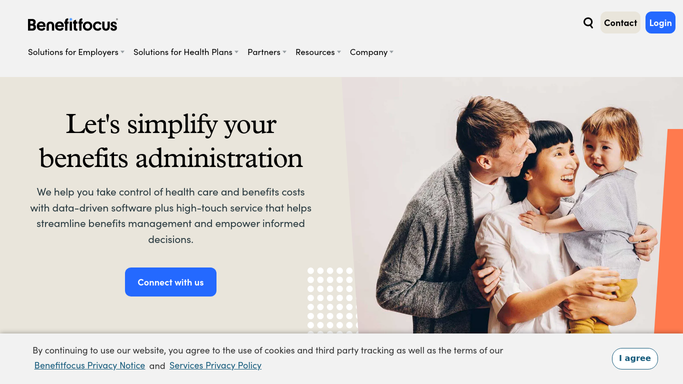
WebRun opens Benefitfocus to find employees who haven't enrolled. - Open Benefitfocus and check open enrollment status for every eligible employee
- List anyone who hasn't started or finished their elections
- Note how many days remain before the enrollment deadline
Done when Every eligible employee has a current enrollment status and days remaining.
-
2
Gmail - draft a reminder for HR to send
gmail.com

WebRun opens Gmail to draft a reminder for HR to send. - Draft a personalized reminder email for each employee who hasn't enrolled
- Include the deadline and a link back to Benefitfocus
- Leave every draft unsent in HR's Gmail drafts folder
Done when A ready-to-send draft exists for every employee who hasn't enrolled.
-
3
Airtable - track enrollment progress
airtable.com

WebRun opens Airtable to track enrollment progress. - Log enrollment progress by department
- Update the count each day as elections come in
- Flag departments furthest behind for HR's attention
Done when Enrollment progress by department is current in Airtable.
How is each run configured?
Secure by default
Connect once, stays signed in
WebRun signs in once and keeps each session in a persistent environment, so every run picks up right where it left off.
Every action is checked against this policy before it runs.
Questions, answered
Will it email employees without me?
No. WebRun only drafts the reminder in Gmail and leaves it unsent. HR reviews and sends every enrollment reminder themselves.
Does it submit anyone's benefit elections?
No. It only reads enrollment status from Benefitfocus. Every election is still made and submitted by the employee.
How close to the deadline does it check?
Every day for the whole enrollment window, so HR always knows exactly how many days are left and who still needs to act.
Related templates
Put this on autopilot.
Turn it on in minutes - or have our team set it up for you.