Turn your tagged Bear notes into a shared tracker
Every Monday, WebRun opens Bear, collects notes tagged follow up or task that were written or edited that week, logs each one to a shared Airtable tracker with its tag and last edit date, and cross links them on the relevant project page in Notion, so notes jotted down privately still turn into team-visible follow-ups.
- No credit card
- Under $0.01 per run
- Cancel anytime
How do I turn tagged Bear notes into a shared team tracker?
WebRun checks Bear every Monday for notes tagged follow up or task that were written or edited that week, logs each one to a shared Airtable tracker, and cross links them on the relevant Notion project page, so notes jotted down privately in Bear still surface as trackable, team-visible follow-ups without any manual copying.
- Tagged notes become team-visible without manual copying
- Every follow-up note lands in one shared tracker
- Project pages stay linked to the relevant source notes
Built for Writers · consultants · small teams · individual contributors
What does WebRun do on every run?
The exact actions WebRun takes, in order - in plain language, so you can adjust anything.
-
WebRun signs in and gets to work
Opens
bear.appin a real browser with your saved login - no setup, no API keys. -
1
Bear - collect notes tagged for follow up this week
bear.app
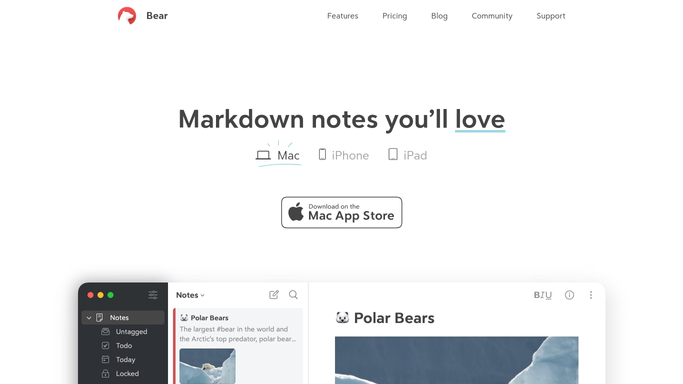
WebRun opens Bear to collect notes tagged for follow up this week. - Open notes tagged follow up or task
- Collect notes written or edited in the last week
- Note the tag and title of each
Done when Every tagged note from this week is captured with its tag.
-
2
Airtable - log each one to the tracker
airtable.com How to Automate Airtable

WebRun opens Airtable to log each one to the tracker. - Open the notes tracker base
- Add a record for each tagged note with its title and tag
Done when The tracker reflects every tagged note from this week.
-
3
Notion - cross link them on the project page
notion.so How to Automate Notion

WebRun opens Notion to cross link them on the project page. - Open the relevant project page
- Add a cross link to each new tracked note
Done when The project page links to every note tracked this week.
How is each run configured?
Secure by default
Connect once, stays signed in
WebRun signs in once and keeps each session in a persistent environment, so every run picks up right where it left off.
Every action is checked against this policy before it runs.
Questions, answered
Does WebRun read all of my Bear notes?
No. It only reads notes carrying the tags you choose to track, like follow up or task. Anything untagged stays private.
Does it edit or retag my notes?
No. It only reads existing tags. Adding, removing, or editing a tag is left entirely to you in Bear.
What if a note is untagged later?
The next Monday's sync only reads current tags, so a note that's been untagged stops appearing going forward.
Related templates
Put this on autopilot.
Turn it on in minutes - or have our team set it up for you.