Know whether the next milestone will land on its date
Every morning, WebRun opens Backlog, finds the next milestone and its due date, lists every issue still open against it with its assignee and status, records the day's numbers in Airtable so the burn-down is visible, and posts a short countdown to Telegram saying whether the date is still realistic.
- No credit card
- Under $0.01 per run
- Cancel anytime
How do I tell if my next project milestone will land on time?
WebRun opens Backlog every morning, finds the next milestone, and counts the issues still open against the days remaining. It records the day's numbers in Airtable to build a burn-down and posts a short countdown to Telegram, so the team sees a slipping date early enough to cut scope.
- A slipping milestone shows up days early, not at the deadline
- The burn-down builds itself in Airtable with no manual counting
- Unassigned blocking issues are named every morning
Built for project managers · software teams · agencies · delivery leads
What does WebRun do on every run?
The exact actions WebRun takes, in order - in plain language, so you can adjust anything.
-
WebRun signs in and gets to work
Opens
backlog.comin a real browser with your saved login - no setup, no API keys. -
1
Backlog - read the milestone and its open issues
backlog.com
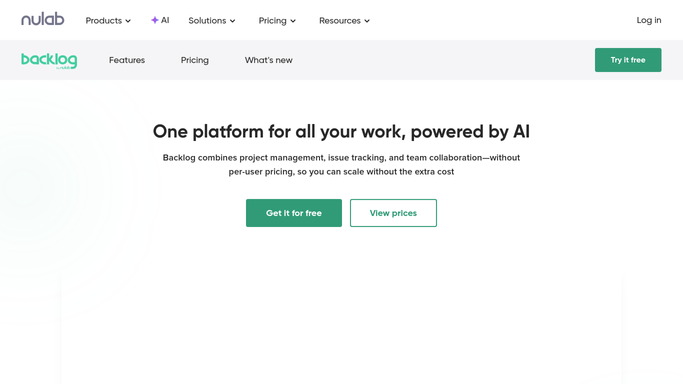
WebRun opens Backlog to read the milestone and its open issues. - Open the project in Backlog and find the next milestone by due date
- List every issue assigned to that milestone with its status and assignee
- Separate the closed issues from the ones still open or in progress
- Note any open issue with no assignee or a due date past the milestone date
Done when Every open issue blocking the next milestone is listed with its owner and status.
-
2
Airtable - record the daily burn-down
airtable.com How to Automate Airtable

WebRun opens Airtable to record the daily burn-down. - Open the milestone tracking base in Airtable
- Add today's row: milestone, due date, days remaining, issues open, issues closed
- Keep yesterday's rows so the burn-down line is visible over the whole run-up
Done when Today's counts are recorded in Airtable alongside the previous days.
-
3
Telegram - post the countdown
telegram.org How to Automate Telegram

WebRun opens Telegram to post the countdown. - Post a short countdown to the project channel: milestone name, days left, issues still open
- Call out unassigned issues and anything whose own due date lands after the milestone
- Say plainly whether the open count is falling fast enough to hit the date
Done when The project channel has today's milestone countdown.
How is each run configured?
Secure by default
Connect once, stays signed in
WebRun signs in once and keeps each session in a persistent environment, so every run picks up right where it left off.
Every action is checked against this policy before it runs.
Questions, answered
Will it change issues or move the milestone date?
No. WebRun only reads Backlog. Closing an issue, reassigning it, or moving a milestone date stays your call. The Telegram post and the Airtable row are internal records for your team.
Which milestone does it report on?
The next one by due date in the project you point it at. When that milestone closes, the following one becomes the subject of the countdown on the next run.
How does it judge whether the date will hold?
It compares the number of issues still open with the days remaining and how fast the open count has fallen on the days already recorded in Airtable. The numbers are shown so you can judge for yourself.
Related templates
Put this on autopilot.
Turn it on in minutes - or have our team set it up for you.