Prepare and queue backflow test reports for water authority submission
Each night, WebRun opens SwiftComply, finds all backflow test results completed that day, assembles the required report data for the applicable water authority, saves a submission-ready draft in Gmail, and posts a summary to Slack so your team can review and submit before the authority's deadline.
- No credit card
- Under $0.01 per run
- Cancel anytime
What does WebRun do on every run?
The exact actions WebRun takes, in order - in plain language, so you can adjust anything.
-
WebRun signs in and gets to work
Opens
app.swiftcomply.comin a real browser with your saved login - no setup, no API keys. -
1
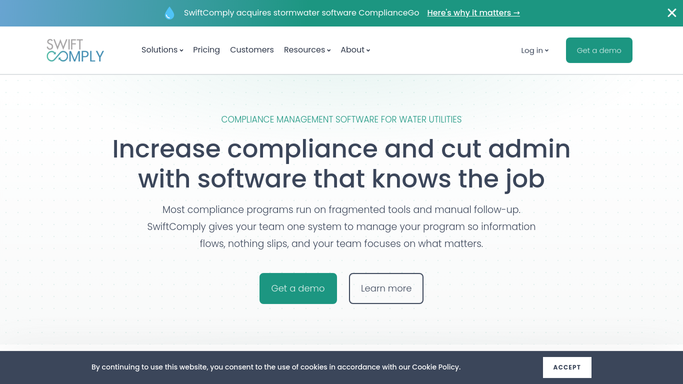
SwiftComply - collect completed test results
swiftcomply.com How to Automate SwiftComply

WebRun opens SwiftComply to collect completed test results. - Open SwiftComply and filter test reports submitted today with a status of Complete
- Capture device serial number, test date, pass or fail result, tester certification number, and the responsible water authority for each report
- Flag any report missing required fields, such as gauge readings or tester signature, for follow-up
Done when Every completed test result for the day is collected with all required report fields verified.
-
2
Slack - alert team to review pending report drafts
slack.com How to Automate Slack
WebRun opens Slack to alert team to review pending report drafts. - Post a nightly digest to the compliance Slack channel listing how many reports are ready for submission
- Flag any reports with missing data that need tester follow-up before the draft can be finalized
- Tag the compliance coordinator to review the drafts in Gmail before submitting to the water authority
Done when Team is notified of pending report drafts and any flagged incomplete submissions.
-
3
Gmail - hold report drafts for authorized submission
gmail.com How to Automate Gmail
WebRun opens Gmail to hold report drafts for authorized submission. - Assemble each completed test result into the water authority's required report format
- Save each report as a Gmail draft addressed to the relevant water authority submission portal
- Do not send. Leave every draft for the compliance coordinator to review and authorize before submission
Done when One reviewed draft report per water authority is queued in Gmail, ready for authorized submission.


How do I automatically prepare backflow test reports for water authority submission?
WebRun reviews all completed backflow test results in SwiftComply each night, assembles the required data for each water authority, and saves a ready-to-submit report draft in Gmail. Your compliance coordinator is notified via Slack and must review and authorize every draft before any submission reaches a water authority.
- Compliance coordinators review a ready-to-submit report queue every morning instead of building reports by hand
- Incomplete test records are caught and flagged before the submission deadline
- No report is submitted to a water authority without an authorized human review
Built for backflow testing companies · water utility compliance teams · plumbing contractors · cross-connection control program administrators
How is each run configured?
Secure by default
Connect once, stays signed in
WebRun signs in once and keeps each session in a persistent environment, so every run picks up right where it left off.
Every action is checked against this policy before it runs.
Questions, answered
Will it submit reports to the water authority without approval?
No. Every report is saved as a Gmail draft and flagged in Slack for your compliance coordinator to review. WebRun never submits a report to a water authority on its own. Authorization is always required before any submission.
What if a test report has missing or invalid data?
Reports with missing required fields, such as gauge readings or tester certification numbers, are flagged in the Slack digest. They are not added to the submission queue until the tester corrects the entry in SwiftComply.
Which water authorities does it support?
It works with any authority whose submissions flow through SwiftComply. The draft is addressed to the authority linked to each device's service area in your SwiftComply configuration.
Related templates
Put this on autopilot.
Turn it on in minutes - or have our team set it up for you.